RelayKeys
Contact vendor for pricing
Last verified September 16, 2026 · classified April 26, 2026
What it is
Summary
AI-generated from vendor-published content · April 26, 2026
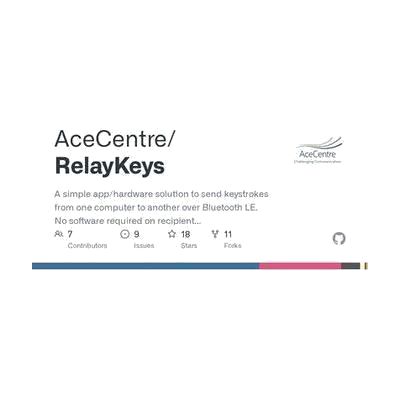
RelayKeys turns a computer into a Bluetooth keyboard and mouse emulator, allowing keystrokes and pointer input from one device to be sent wirelessly to another — including phones, tablets, or secondary computers that wouldn't otherwise accept that input. It's designed primarily for people who rely on a dedicated AAC or eye-gaze system as their main computer but also need to control other devices like a work laptop, tablet, or phone without switching to a separate input method. You get the open-source software and hardware schematics, but you'll need compatible microcontroller hardware (such as an Adafruit Feather) and some technical setup to get it running. This is a DIY solution — if you're not comfortable with command-line tools and basic hardware assembly, expect a steep learning curve or plan to work with a technical support person.
Quick Facts Catalog facts · auto-generated
- AT Act lending
- Out of pocket
- School district
- Vocational rehab
What Setup Looks Like
- With a guide
- Obtain compatible hardware (e.g., Adafruit Feather nRF52840 or similar Bluetooth LE microcontroller).
- Download and install the RelayKeys software from the GitHub repository onto the host (server) machine.
- Flash the firmware onto the hardware component following the Ace Centre documentation.
- Pair the hardware with the target device via Bluetooth and test keystroke relay — allow 1-3 hours for initial setup. See manufacturer support resources for detailed instructions.
- With professional help
- An assistive technology professional (ATP) or technical support person familiar with AAC systems and Bluetooth HID can configure RelayKeys to work alongside an existing eye-gaze or AAC device.
- Integration with specialist AAC software (e.g., mapping relay commands to vocabulary pages) benefits from SLP and ATP collaboration — expect 2-4 sessions.
Getting it
Try Before You Buy
Devices like this are often available to borrow through your state's AT Act program — typically free or low-cost — so you can try it before buying or pursuing funding.
Where to Get It
This is the vendor WhatCanHelp tracks for this product — it may also be available from other retailers or a local supplier, and prices vary.
Some links may be affiliate links — WhatCanHelp may earn a small commission from purchases at no extra cost to you. More on affiliates →
As an Amazon Associate we earn from qualifying purchases.
How to Fund This
Equipment like this is often pursued through official state programs. These are common starting points — each program decides its own eligibility and what it covers, so the first step is always a phone call.
Compare & explore
Sources & fine print
Vendor facts (name, price, platforms, vendor link) sourced from Ace Centre (Open Source) — view on vendor site; last verified September 16, 2026.
Classification & description AI-generated from vendor-published content on April 26, 2026 · confidence: high. Vendor specs may lag; verify before relying on details in a clinical or funding artifact.