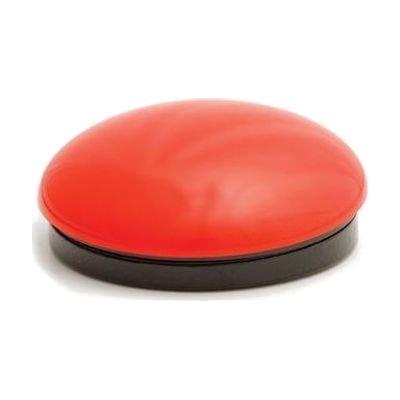
iSwitch
Last verified June 20, 2026 · classified April 26, 2026
What it is
Summary
AI-generated from vendor-published content · April 26, 2026
The iSwitch is a compact Bluetooth switch—about 3 inches across—that connects wirelessly to iOS, Android, or Windows devices and sends keystrokes, mouse clicks, or media commands when pressed. It's designed for people who can't use a standard touchscreen or keyboard but can activate a single button, making it useful for accessing apps, games, and media with minimal physical effort. The device includes two external switch ports, so additional external switches (like a head switch or foot switch) can be plugged in for users who need an alternative activation method; 24 pre-programmed mode profiles cover common actions like spacebar, enter, and mouse clicks without any custom programming required. This is the input device only—it doesn't do anything meaningful on its own without a compatible app or switch-accessible content on a paired device, and choosing the right mode profile for a specific setup often benefits from someone who knows switch access well.
Quick Facts Catalog facts · auto-generated
- AT Act lending
- Medicaid waiver
- Out of pocket
- School district
- Vocational rehab
What Setup Looks Like
- Out of the box
- Press the button to power on and enter Bluetooth pairing mode.
- Pair with an iOS, Android, or Windows device via Bluetooth settings.
- Select one of the 24 pre-programmed modes to match the target app or activity.
- With a guide
- Review the mode guide to identify which of the 24 profiles matches your target apps (e.g., HelpKidzLearn, iOS Switch Control).
- Enable iOS Switch Control or Android accessibility scanning in device settings, then assign iSwitch as the input switch.
- If using external switch ports, connect a secondary switch and configure each port independently — allow 30–60 minutes with the manual. See manufacturer support resources for detailed instructions.
- With professional help
- An occupational therapist (OT) or assistive technology professional (ATP) can assess which activation method and switch placement best suits the user's motor control.
- An ATP can configure the correct mode profile and set up scanning settings on the paired device to match the user's cognitive and motor pace — typically 1–2 sessions.
Getting it
Try Before You Buy
Devices like this are often available to borrow through your state's AT Act program — typically free or low-cost — so you can try it before buying or pursuing funding.
Where to Get It
Some links may be affiliate links — WhatCanHelp may earn a small commission from purchases at no extra cost to you. More on affiliates →
As an Amazon Associate we earn from qualifying purchases.
How to Fund This
Equipment like this is often pursued through official state programs. These are common starting points — each program decides its own eligibility and what it covers, so the first step is always a phone call.
Compare & explore
Sources & fine print
Vendor facts (name, price, platforms, vendor link) sourced from Inclusive Technology — view on vendor site; last verified June 20, 2026.
Classification & description AI-generated from vendor-published content on April 26, 2026 · confidence: high. Vendor specs may lag; verify before relying on details in a clinical or funding artifact.