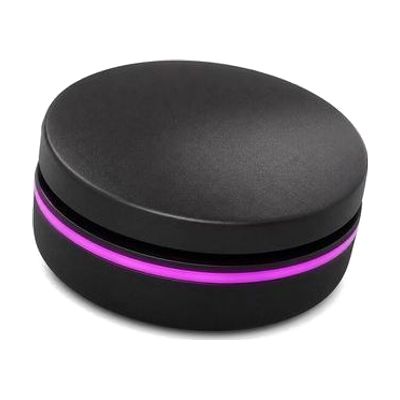
Solo Range
Last verified June 20, 2026 · classified May 9, 2026
What it is
Summary
AI-generated from vendor-published content · May 9, 2026
The Solo Range is a family of compact Bluetooth access devices — including switches, a joystick, and touch controls — designed to give people wireless control over tablets and computers without needing wired connections. It's aimed at people who use alternative input due to limited hand function, and who want a cleaner, cable-free setup for their AAC device, iPad, or computer. Each item in the range is a piece of a larger access solution: you'll need a compatible Bluetooth-enabled device to pair it with, and ideally some guidance on which option in the range fits the person's motor profile. The wireless nature eliminates cable clutter and makes the setup more portable, but choosing the right device from the range and getting it properly configured typically benefits from input from an OT or ATP.
Quick Facts Catalog facts · auto-generated
- AT Act lending
- Medicaid waiver
- Out of pocket
- School district
- Vocational rehab
What Setup Looks Like
- Out of the box
Charge the device, then put it into Bluetooth pairing mode and connect to your tablet or computer as you would any Bluetooth peripheral. - With a guide
- Review Inclusive Technology's documentation to confirm which Solo Range device (switch, joystick, or touch control) matches the user's access method.
- Follow the pairing guide for your specific tablet OS (iOS or Android) — allow 20–30 minutes for first-time setup and testing. See manufacturer support resources for detailed instructions.
- With professional help
- An occupational therapist (OT) or assistive technology professional (ATP) should conduct an access assessment to determine which Solo Range device best fits the user's motor control and intended use.
- Expect 1–2 sessions to assess, configure, and train on the chosen device before independent use.
Getting it
Try Before You Buy
Devices like this are often available to borrow through your state's AT Act program — typically free or low-cost — so you can try it before buying or pursuing funding.
Where to Get It
Some links may be affiliate links — WhatCanHelp may earn a small commission from purchases at no extra cost to you. More on affiliates →
How to Fund This
Equipment like this is often pursued through official state programs. These are common starting points — each program decides its own eligibility and what it covers, so the first step is always a phone call.
Compare & explore
Sources & fine print
Vendor facts (name, price, platforms, vendor link) sourced from Inclusive Technology — view on vendor site; last verified June 20, 2026.
Classification & description AI-generated from vendor-published content on May 9, 2026 · confidence: medium. Vendor specs may lag; verify before relying on details in a clinical or funding artifact.