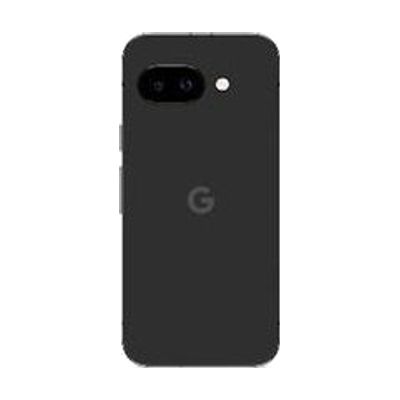
Google Pixel 9a
by Google
Last verified July 28, 2026 · classified June 7, 2026
What it is
Summary
AI-generated from vendor-published content · June 7, 2026
The Pixel 9a is Google's mid-range Android smartphone, and like all Pixel devices it ships with Android's full suite of built-in accessibility features: TalkBack screen reader, Magnification, Live Captions (real-time captioning of any audio on the device), Sound Notifications (which identifies environmental sounds like doorbells or alarms), Switch Access for motor users, and Lookout for describing surroundings via camera. For someone who relies on Google's accessibility ecosystem — particularly those using TalkBack, Live Transcribe, or the Pixel's on-device AI features for daily communication and independence — this is a capable, lower-cost entry point into the Pixel line. This is a complete, ready-to-use smartphone, not an add-on or peripheral; accessibility features come pre-installed and activate through Settings. The 9a is a solid choice for accessibility use, though some power users managing complex AAC apps or running resource-heavy AT software may find the slightly lower processor tier compared to the Pixel 9 Pro a real-world constraint over time.
Quick Facts Catalog facts · auto-generated
- AT Act lending
- Out of pocket
- Vocational rehab
What Setup Looks Like
- Out of the box
- Power on the device — TalkBack and other accessibility features are available immediately in Settings > Accessibility.
- Insert a physical SIM or activate eSIM through your carrier to connect to mobile service.
- With a guide
- Navigate to Settings > Accessibility to enable specific features (TalkBack, Magnification, Live Captions, Switch Access, etc.).
- Download any additional AT apps (AAC apps, screen readers, communication tools) from the Google Play Store.
- Configure Switch Access if using external switches — pair Bluetooth switches or connect via USB and assign scan patterns (allow 30–60 minutes). See manufacturer support resources for detailed instructions.
- With professional help
- An assistive technology professional (ATP) or occupational therapist (OT) can assess which built-in accessibility features or third-party AT apps best match the user's needs.
- For AAC or complex communication use cases, an SLP should be involved in app selection and vocabulary configuration — typically 2–4 sessions.
Getting it
Try Before You Buy
Devices like this are often available to borrow through your state's AT Act program — typically free or low-cost — so you can try it before buying or pursuing funding.
Where to Get It
These are the vendors WhatCanHelp tracks for this product — it may also be available from other retailers or a local supplier, and prices vary.
Some links may be affiliate links — WhatCanHelp may earn a small commission from purchases at no extra cost to you. More on affiliates →
As an Amazon Associate we earn from qualifying purchases.
How to Fund This
Equipment like this is often pursued through official state programs. These are common starting points — each program decides its own eligibility and what it covers, so the first step is always a phone call.
Compare & explore
Sources & fine print
Vendor facts (name, price, platforms, vendor link) sourced from Google — view on vendor site; last verified July 28, 2026.
Classification & description AI-generated from vendor-published content on June 7, 2026 · confidence: high. Vendor specs may lag; verify before relying on details in a clinical or funding artifact.