SwitchIt! People Extra
Last verified July 28, 2026 · classified April 26, 2026
What it is
Summary
AI-generated from vendor-published content · April 26, 2026
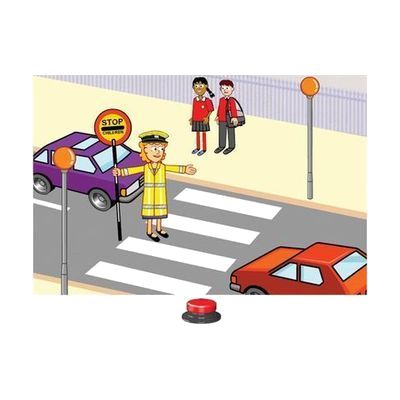
SwitchIt! People Extra is a Windows software program that teaches children about community helpers (firefighters, doctors, and similar figures) through three types of switch-accessible activities: animated event sequences, picture-building scenes, and flashcards. It's designed for learners who use switches, touch screens, or alternative keyboards and who may be working on early concepts like cause-and-effect, sequencing, and recognizing real-world roles — including those who are pre-literate, as a picture menu lets them navigate independently. The package is more complete than a typical software title: it includes printable worksheets (dot-to-dot, story sequencing, coloring) and tactile braille worksheets designed for swell paper, making it useful across a range of settings and sensory needs. This is Windows-only software delivered by email, so it won't work on iPads, Chromebooks, or Macs, and users will need their own switch hardware and a compatible Windows device to access the switch-activated features.
Quick Facts Catalog facts · auto-generated
- AT Act lending
- Out of pocket
- School district
- Vocational rehab
What Setup Looks Like
- Out of the box
Open the software after download and use a mouse or touch screen to explore activities right away — no configuration needed for basic access. - With a guide
- Connect and configure your switch interface and switch hardware to the Windows PC before launching the software.
- Open the preferences menu to set the number of steps per activity, reward length, and input method (one switch, two switches, touch, etc.).
- Save a named preference profile for each individual user so settings load automatically in future sessions — expect 20–30 minutes total setup per user. See manufacturer support resources for detailed instructions.
- With professional help
- An SLP, OT, or special education teacher can assess which activity type and number of steps best match a learner's current cause-and-effect or sequencing goals.
- For learners using swell-paper braille worksheets, a vision specialist or teacher of the visually impaired (TVI) should oversee production and use.
Getting it
Try Before You Buy
Devices like this are often available to borrow through your state's AT Act program — typically free or low-cost — so you can try it before buying or pursuing funding.
Where to Get It
This is the vendor WhatCanHelp tracks for this product — it may also be available from other retailers or a local supplier, and prices vary.
Some links may be affiliate links — WhatCanHelp may earn a small commission from purchases at no extra cost to you. More on affiliates →
As an Amazon Associate we earn from qualifying purchases.
How to Fund This
Equipment like this is often pursued through official state programs. These are common starting points — each program decides its own eligibility and what it covers, so the first step is always a phone call.
Compare & explore
Sources & fine print
Vendor facts (name, price, platforms, vendor link) sourced from Inclusive Technology — view on vendor site; last verified July 28, 2026.
Classification & description AI-generated from vendor-published content on April 26, 2026 · confidence: high. Vendor specs may lag; verify before relying on details in a clinical or funding artifact.