SwitchIt! Technology Extra
Last verified June 20, 2026 · classified April 26, 2026
What it is
Summary
AI-generated from vendor-published content · April 26, 2026
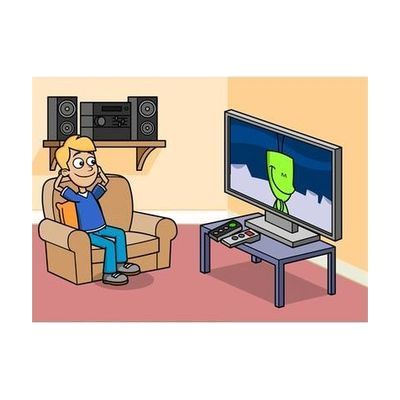
SwitchIt! Technology Extra is a Windows software program containing twelve animated, interactive stories built around everyday technology — vending machines, mobile phones, car washes, and similar real-world situations — where learners activate each step or build scenes using a single switch, two switches, a touchscreen, mouse, or keyboard. It's designed for children and young adults with motor, cognitive, or learning disabilities who are working on cause-and-effect understanding, life skills, and community readiness in a classroom or therapy setting. This is a software-only purchase delivered by email, so you'll need a Windows 7–11 computer and any compatible switch hardware already in place. The content leans toward a UK curriculum context (PSHE), so some scenarios may feel slightly unfamiliar to users outside the UK, and the stories are not customizable — you work with the twelve included themes as-is.
Quick Facts Catalog facts · auto-generated
- AT Act lending
- Out of pocket
- School district
What Setup Looks Like
- Out of the box
- Download and install the software on a Windows 7–11 computer using the emailed license link.
- Connect an existing switch, touchscreen, or mouse — the software recognizes input immediately on launch.
- With a guide
- Review the included activity guide to plan which stories align with IEP or life-skills goals.
- Pair specific stories with classroom discussion topics or community preparation activities — allow 15–30 minutes of planning per session. See manufacturer support resources for detailed instructions.
- With professional help
- A special education teacher or occupational therapist (OT) should assess whether the cause-and-effect activities match the learner's current switch access level and select appropriate scanning settings.
- One planning session of 30–60 minutes is typically sufficient before independent classroom use.
Getting it
Try Before You Buy
Devices like this are often available to borrow through your state's AT Act program — typically free or low-cost — so you can try it before buying or pursuing funding.
Where to Get It
Some links may be affiliate links — WhatCanHelp may earn a small commission from purchases at no extra cost to you. More on affiliates →
As an Amazon Associate we earn from qualifying purchases.
Wondering how equipment like this gets paid for? See the official funding programs in your state.
Compare & explore
Sources & fine print
Vendor facts (name, price, platforms, vendor link) sourced from Inclusive Technology — view on vendor site; last verified June 20, 2026.
Classification & description AI-generated from vendor-published content on April 26, 2026 · confidence: high. Vendor specs may lag; verify before relying on details in a clinical or funding artifact.