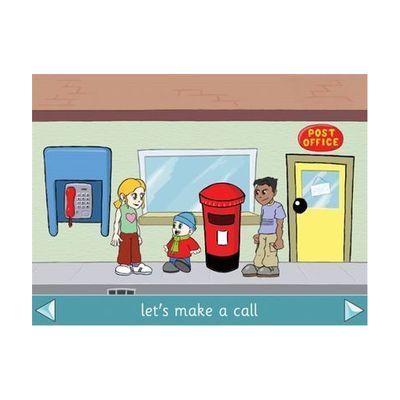
Lets Go To Town
Price is what the vendor listed when last checked. Confirm it with the vendor before buying.
Last verified September 16, 2026 · classified April 26, 2026
What it is
Summary
AI-generated from vendor-published content · April 26, 2026
Let's Go To Town is a switch-accessible software program that simulates navigating a town environment — crossing roads, visiting locations, and practicing everyday community tasks in a safe, on-screen setting. It's designed for learners with physical or cognitive disabilities who benefit from practicing life skills and community safety concepts (like road crossing) without real-world risk. The program includes built-in speech and is accessible via single switch scanning, making it usable by people with very limited motor control. This is educational software rather than a standalone app — you'll need a compatible computer and, for switch access, an appropriate switch and interface; it won't replace real-world practice but works well as a structured conversation starter or pre-teaching tool.
Quick Facts Catalog facts · auto-generated
- AT Act lending
- Out of pocket
- School district
What Setup Looks Like
- Out of the box
Install the software on a compatible computer and launch to begin exploring town scenarios with a mouse or touch input. - With a guide
- Connect a switch and switch interface to the computer.
- Configure the software's scanning settings to match the learner's switch access method — refer to Inclusive Technology's documentation for step-by-step setup (allow 20–30 minutes). See manufacturer support resources for detailed instructions.
- With professional help
- An SLP or special education teacher can select appropriate scenarios and vocabulary targets to align with IEP life-skills or communication goals.
- An Assistive Technology Professional (ATP) can configure switch scanning speed and access method for learners with complex motor needs — typically 1 session.
Getting it
Try Before You Buy
Devices like this are often available to borrow through your state's AT Act program — typically free or low-cost — so you can try it before buying or pursuing funding.
Where to Get It
This is the vendor WhatCanHelp tracks for this product — it may also be available from other retailers or a local supplier, and prices vary.
Some links may be affiliate links — WhatCanHelp may earn a small commission from purchases at no extra cost to you. More on affiliates →
As an Amazon Associate we earn from qualifying purchases.
Wondering how equipment like this gets paid for? See the official funding programs in your state.
Compare & explore
Sources & fine print
Vendor facts (name, price, platforms, vendor link) sourced from Inclusive Technology — view on vendor site; last verified September 16, 2026.
Classification & description AI-generated from vendor-published content on April 26, 2026 · confidence: medium. Vendor specs may lag; verify before relying on details in a clinical or funding artifact.