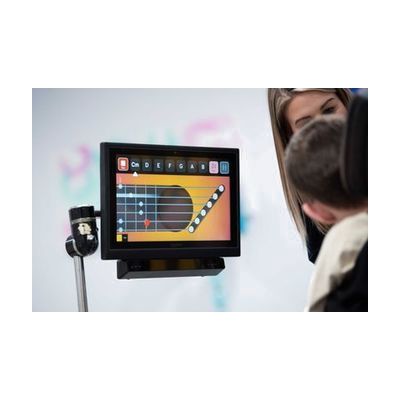
Eye gaze technology by Smartbox
by Smartbox Assistive Technology
Price is what the vendor listed when last checked. Confirm it with the vendor before buying.
Last verified September 16, 2026 · classified April 26, 2026
What it is
Summary
AI-generated from vendor-published content · April 26, 2026
Eye gaze technology from Smartbox uses infrared cameras to track where someone is looking, translating eye movements into cursor control and switch-like activations on a computer or dedicated AAC device. This is the access method for people who have lost functional use of their hands and arms — common with ALS/MND, cerebral palsy, spinal cord injury, or similar conditions — allowing them to control communication software, browse the web, and manage environmental controls entirely through their eyes. Smartbox offers multiple eye tracker models (Evo, Lumin-i, Vida) designed to integrate with their Grid Pad communication aids and Grid software, so this is not a standalone solution — it works as part of a complete AAC or computer access system that includes compatible hardware and software. Eye gaze requires careful setup, calibration, and ongoing adjustment by an AT professional, and performance varies significantly depending on lighting conditions, seating position, and the user's ability to maintain consistent gaze.
Quick Facts Catalog facts · auto-generated
- AT Act lending
- Insurance
- Medicaid waiver
- Out of pocket
- School district
- Vocational rehab
What Setup Looks Like
- Out of the box
- Mount the eye tracker below or around the screen in the position specified for your device model.
- Power on and launch the eye tracking software to begin initial calibration.
- With a guide
- Follow the manufacturer's calibration wizard, which asks the user to look at a series of on-screen targets.
- Adjust tracking sensitivity and dwell time settings based on user performance — expect 30–60 minutes for initial configuration.
- See manufacturer support resources for detailed instructions.
- With professional help
- An assistive technology professional (ATP) or speech-language pathologist (SLP) conducts a seating and positioning assessment to ensure optimal camera angle and distance.
- The professional configures Grid software vocabulary, access method settings, and environmental control integrations tailored to the individual user.
- Ongoing therapy sessions (typically several over weeks to months) refine calibration profiles and build user competence with the system.
Getting it
Try Before You Buy
Devices like this are often available to borrow through your state's AT Act program — typically free or low-cost — so you can try it before buying or pursuing funding.
Where to Get It
This is the vendor WhatCanHelp tracks for this product — it may also be available from other retailers or a local supplier, and prices vary.
Some links may be affiliate links — WhatCanHelp may earn a small commission from purchases at no extra cost to you. More on affiliates →
As an Amazon Associate we earn from qualifying purchases.
How to Fund This
Equipment like this is often pursued through official state programs. These are common starting points — each program decides its own eligibility and what it covers, so the first step is always a phone call.
Compare & explore
Sources & fine print
Vendor facts (name, price, platforms, vendor link) sourced from Smartbox Assistive Technology — view on vendor site; last verified September 16, 2026.
Classification & description AI-generated from vendor-published content on April 26, 2026 · confidence: high. Vendor specs may lag; verify before relying on details in a clinical or funding artifact.