Browse Assistive Technology
Products
-
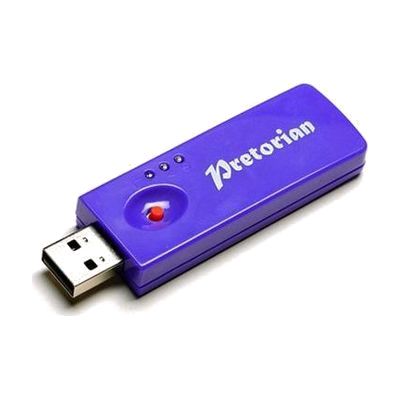
SimplyWorks Receive 2
Est. $60–$120
The Receive 2 is a small wireless receiver that plugs into a computer's USB port and lets up to six SimplyWorks transmitters, such as switches, a mouse, or a joystick, control the computer without cables. It works with any mix of transmitters and has a range of more than 10 meters, so a classroom or therapy room can be set up for one person or several without wires crossing the floor. It needs no driver software and works on Windows and Mac. Two LEDs show when Caps Lock and Drag Lock are on. It must go into a USB port; it won't work in an older PS/2 port, even with an adapter.
Verified 4 days agoSetup with instructions -

Clevy Mouse
Est. $25–$60
The Clevy Mouse is a small USB computer mouse made for children who are just starting to use a computer or tablet. The left button is blue and the right button is red, so a child can tell left-click from right-click by color. It measures about 10 x 5.5 x 3.5 cm, which suits small hands. You plug it in by USB and it works with Windows, Mac, and iPad or iPhone, where it can also be used with iPadOS and iOS accessibility features like Switch Control.
Verified 4 days agoReady to use -
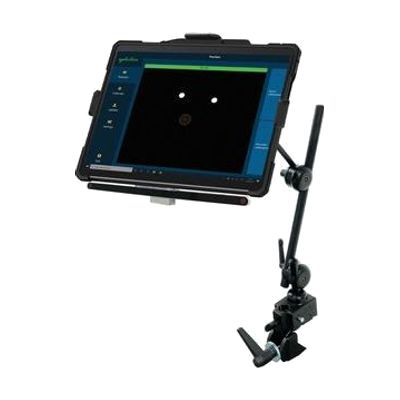
Surface Pro EyeGaze Education: eyetuitive for Windows
Est. $1,500–$3,500
This bundle pairs a Windows Surface Pro tablet with eyetuitive's eye gaze system, so a student can control the tablet by looking at the screen instead of touching it. It's put together for the special education classroom, and the maker describes it as portable, sturdy, and easy to use. Because the tablet and the eye gaze pieces come as one package, you're not hunting for compatible parts yourself. Eye gaze works best when it's matched to the student's vision, positioning, and goals, so expect to get help from a therapist or ATP when choosing software and tuning the setup.
Verified 4 days agoProfessional guidance helps -
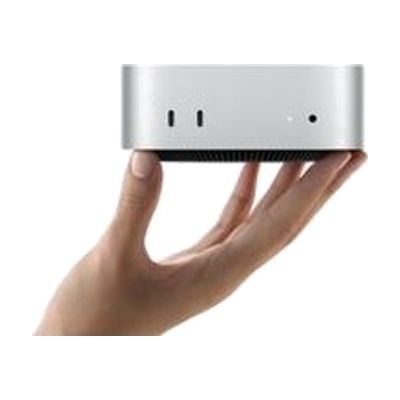
Mac mini
$599.00
The Mac mini is a small desktop computer, about five by five inches, that runs macOS and connects to the monitor, keyboard, and mouse you choose. That freedom is what makes it useful for assistive technology: you can pair it with larger or specialized displays, alternative input devices, or switch-based setups, and use the accessibility features built into macOS. It has ports on both the front and back, and it can sit next to a monitor or be mounted out of the way. Keep in mind that it is only the computer itself, so you need to supply the screen and input devices, and any assistive setup is up to you.
Verified 4 days agoSetup with instructions -

Small Antibacterial Mouse
Est. $20–$45
This is a wired USB mouse built about half the size of a standard one, so smaller hands can grip and move it comfortably. The left click, right click, and scroll wheel are color-coded, which makes it easier for a child learning to use a computer to tell the buttons apart. It also has an antibacterial coating meant to help reduce germs, which suits shared classroom computers. It works with Windows, Mac, and iPadOS/iOS devices. Because the coating helps with hygiene but does not replace regular cleaning, shared mice should still be wiped down.
Verified 4 days agoReady to use -
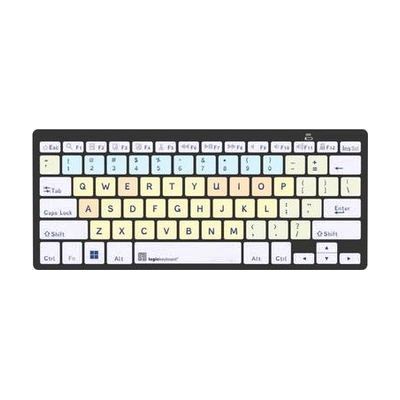
Dyslexie - MAC Bluetooth Mini Keyboard
$114.90
This Bluetooth mini keyboard for Mac uses the Dyslexie typeface on its keys, a font made for people who find reading standard lettering hard. The keys are color-coded by group: vowels, consonants, numbers and function keys. That coding can help someone learn where each key sits. It was developed with dyslexiefont.com and comes with a cleaning tissue and cleaning instructions. This is a keyboard only, so you'll pair it wirelessly with your own Mac.
Verified 2 days agoSetup with instructions -
All in One EyeGaze Education: eyetuitive for Windows
Est. $800–$2,000
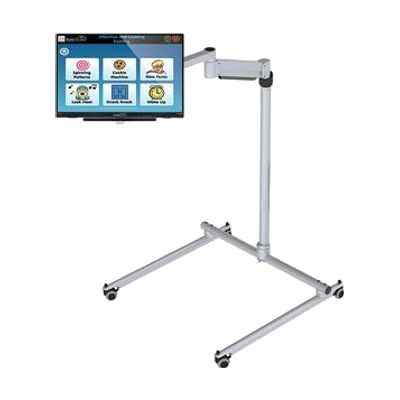
This is a ready-to-assemble eye gaze package for a special needs classroom, built around eyetuitive for Windows. The bundle includes a touch PC or monitor, a REHAdapt stand to hold it, and Inclusive EyeGaze software. With eye gaze, a student controls the screen by looking at it instead of using a mouse or touch, which opens up learning activities and communication for children who can't use those tools easily. Because the pieces come together in one package, a school doesn't have to match a tracker, screen, mount, and software on its own. Getting the student positioned well and the tracking calibrated is where a therapist or AT specialist can make a real difference.
Verified 4 days agoProfessional guidance helps -
HelpKidzLearn EasySwitch
Est. $60–$150
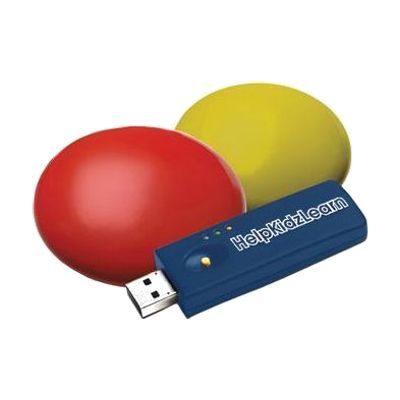
The EasySwitch gives a child a wireless way to play switch-accessible games and activities on a computer. The bundle has a USB dongle and two low-profile switches, one yellow and one red, and the switches respond to very light movement, so they suit someone with limited movement. Press the 'M' button on the back of a switch to assign a keystroke such as Space or Enter, which lets the switches work with HelpKidzLearn games and other switch-accessible software. It is a complete starter set for computer access, though you still need a computer with a USB port and software that accepts switch input.
Verified 4 days agoSetup with instructions -
it-Receive
Est. $150–$350
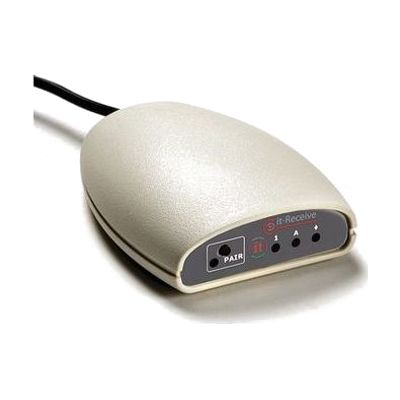
The it-Receive is a USB receiver that lets up to six Simply Works transmitter units, like switches, joysticks, rollerballs, and keyboards, control a computer wirelessly. You can mix any combination of those devices. It works from up to 10 metres (32 feet) away, so it suits classrooms and therapy rooms where people sit in different spots. With the Switch Centre software, it spots which program is running and adjusts its settings to match, and you can program custom switch functions for one person's needs. The receiver doesn't include the transmitters, so you'll need to have those on hand.
Verified 4 days agoSetup with instructions -
iPad Air
$599.00
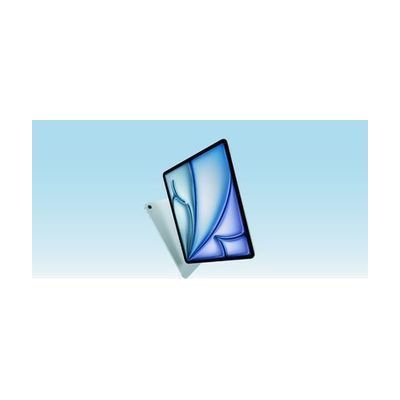
The iPad Air is Apple's mainstream tablet, available in 11-inch and 13-inch sizes with a Liquid Retina display and the M4 chip. It matters for assistive technology because iPadOS is the platform many communication, learning, vision, hearing, and alternative-access apps are built for, so one device can serve many different needs depending on which apps and settings you choose. It works with a Magic Keyboard and Apple Pencil Pro if those suit the person using it, but they are separate purchases. The tablet itself is a general-purpose device, not a ready-made AT solution, so the benefit comes from what you set up on it.
Verified 4 days agoSetup with instructions -
Keeble - AssistiveWare
Est. $4–$20
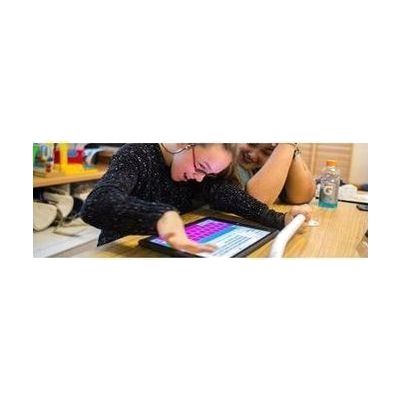
Keeble is an accessible keyboard for iPhone and iPad that you can use to type in almost any iOS app. It lets you change the colors and fonts, including a dyslexia-friendly font. It also has ways to cut down on typos, like selecting a key when you lift your finger and speaking each letter or word as you type. It's made for people with physical or vision impairments who find the standard keyboard hard to use, and it also has features for people with dyslexia.
Verified 4 days agoSetup with instructions -
Dyslexie - PC Bluetooth Mini Keyboard
$114.90
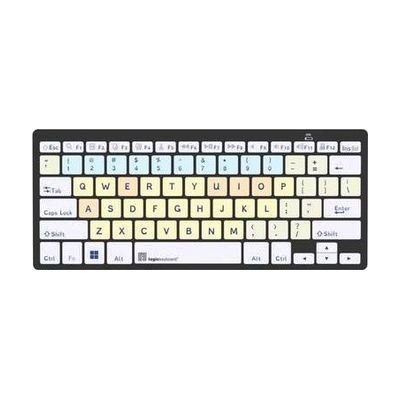
This is a compact Bluetooth keyboard printed with the Dyslexie typeface, a font designed to make letters easier to tell apart for people who read with dyslexia. The keys are also color-coded, with different colors for vowels, consonants, numbers, and function keys, which helps someone learn where each key sits. It's a good fit for a learner who finds standard keyboards visually confusing and benefits from extra cues while typing. The box includes the keyboard, a cleaning tissue, cleaning instructions, and warranty information.
Verified 2 days agoSetup with instructions -
MacBook Air 13-inch and MacBook Air 15-inch
$1,099.00
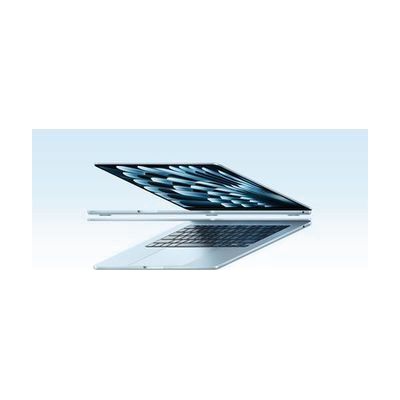
The MacBook Air is Apple's thin, light laptop, sold in 13-inch and 15-inch screen sizes. It is a general-purpose computer, not a dedicated assistive device, but macOS includes built-in accessibility options and works with the other Apple devices a person may already own. That makes it a common starting point for computer access across many needs, including vision, hearing, motor, learning, and communication. The 13-inch model is the more portable one, while the 15-inch gives you more screen space, which can matter if you use enlarged text or keep several windows open. The accessibility tools are there to use, but you choose and set them up yourself, so the laptop doesn't solve a specific access need until you've done that.
Verified 4 days agoSetup with instructions -
Look eye gaze software
Est. $99–$499
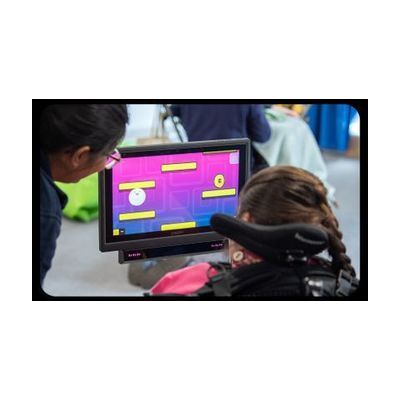
Look is a family of software packages from Smartbox that lets someone practice using eye gaze, where a camera tracks where you look and your eyes control the screen. The activities cover hitting targets, dwelling (holding your gaze on something to select it), following moving objects, and moving a cursor across and up and down the screen. The packages include Look to Learn, which builds access and choice-making skills for younger users, and Look to Read, a set of accessible books with learning activities. Free trials are available, and this is software only, so you need a compatible eye tracker to use it.
Verified 4 days agoProfessional guidance helps -
Inclusive Simple Switch Box
Est. $25–$65
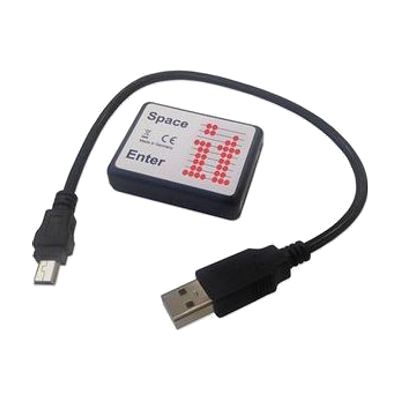
The Simple Switchbox lets someone use one or two switches to send space and enter key presses to a computer through a USB port. It has two jack sockets for plugging in switches and needs no software installed. It only works with programs that respond to space and enter keys, such as Inclusive Technology's SwitchIt! and Maker series. You'll need to supply the switches yourself, and anything that needs other kinds of switch input won't work with this box.
Verified 4 days agoSetup with instructions -

iMac
$1,299.00
The iMac is Apple's all-in-one desktop computer, with the screen and computer in one slim unit and an M4 chip inside. It runs macOS, which has built-in accessibility tools, and Apple Intelligence adds writing help like proofreading and rewriting text, plus photo search by description. It can also mirror your iPhone onto the big screen, which can make the phone easier to see and control. This is a general-purpose computer, not a dedicated AT device, so the benefit depends on turning on and tuning the accessibility features that fit the person using it.
Verified 4 days agoSetup with instructions -
Cosmo Dot
Est. $150–$350
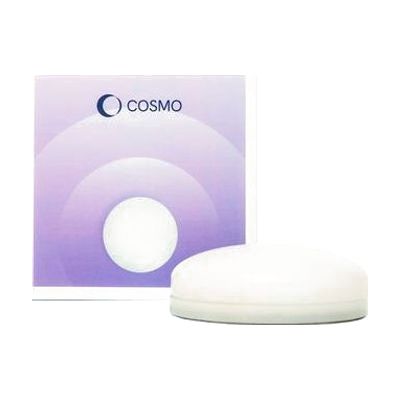
Cosmo Dot is a Bluetooth controller built for learners with special educational needs. It gives them a multi-sensory way to take part in cause-and-effect activities, switch access, AAC, and inclusive play.
Verified 4 days agoProfessional guidance helps -
Orion Talking Graphing Calculator TI-84 Plus
$699.00
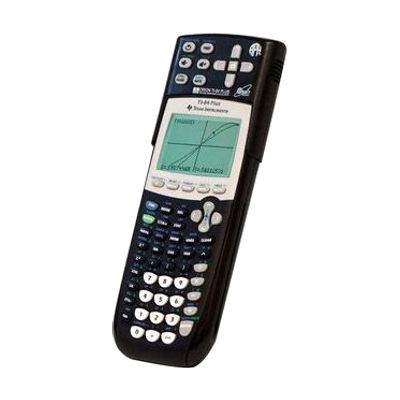
The Orion Talking Graphing Calculator is a TI-84 Plus with a compact accessory attached to the top. The accessory lets a blind or low vision student use the calculator through speech, audio, and vibration. It reads out menus, expressions, text, and symbols. Graphs can be explored by spoken coordinates or by SonoGraph, which turns a graph into sound and vibration. You can review anything on the screen at any time without losing your place in a calculation. It comes with a rechargeable battery, stereo earphones, a charger, and a user manual in audio and digital form. To print or emboss graphs, you'll need to add your own printer or embosser through a computer.
Verified 2 days agoSetup with instructions -
Educational RYB Mouse
Est. $25–$60
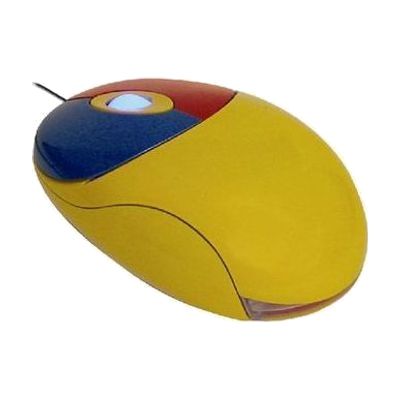
This is a small wired USB mouse made for children, with colour-coded buttons so a child can tell left click from right click at a glance. It measures about 10 x 5.8 x 1.9 cm, which suits small hands. It plugs in and works with no software, on Windows, Mac, iPadOS and iOS. On Apple devices it works with built-in accessibility features such as Switch Control and AssistiveTouch. It's a good fit for a young child learning to use a computer who finds a standard adult mouse too big or confusing.
Verified 4 days agoReady to use -
iSwitch
Est. $150–$400
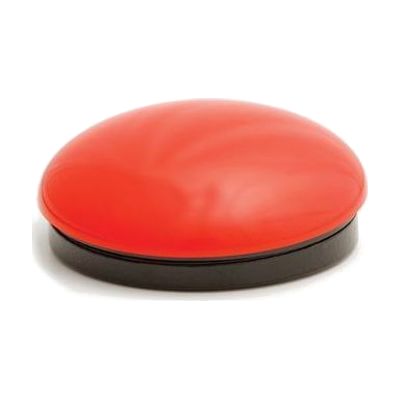
The iSwitch is a compact, 75mm Bluetooth switch that lets someone control a tablet, phone, or computer with a single press instead of a touchscreen, mouse, or keyboard. It can send left, right, and double mouse clicks, plus 24 pre-programmed modes that cover common keystrokes like space and enter for switch-accessible apps and games. It also has media controls for play/pause, skip, and volume, and timed play options of 10 or 30 seconds for reward-based activities. Two ports on the unit accept extra switches, so you can build a setup with more than one input. Because it is one piece of a larger access setup, a therapist can help choose the right mode, switch placement, and device settings.
Verified 4 days agoProfessional guidance helps -

iPad Pro
$999.00
The iPad Pro is Apple's high-end tablet, built around the M5 chip and a bright, sharp display, and it runs iPadOS 26. It is a general-purpose tablet, and what makes it useful as assistive technology is the access features built into iPadOS: tools that change how the screen looks, how you control the device, and how it speaks or listens. The tablet also works with a Magic Keyboard and Apple Pencil Pro, which are sold separately. You get a full computer-style device, but you'll need to turn on and tune the settings that fit the person using it.
Verified 4 days agoSetup with instructions -
Braille & Large Print Slimline Keyboard
$385.95
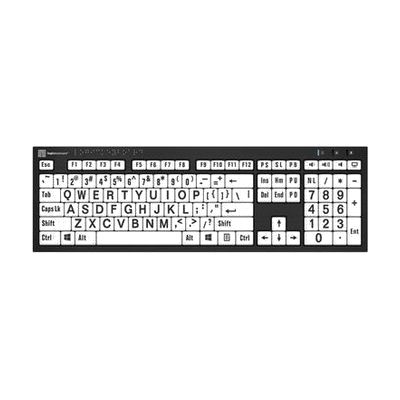
This wired Windows keyboard puts large, high-contrast print and permanently molded Braille on every key, so you can type by sight or by touch. The Braille is built into the keys, so unlike sticker overlays it won't peel or fade. That makes it a good fit for someone with low vision, or for a person who is learning Braille and wants to see and feel the same key. Two USB ports on the keyboard let you plug in a flash drive, a mouse, or a small lamp. It works with Windows PCs only, so Mac users will need a different option.
Verified todaySetup with instructions -

Dyslexie Keyboard MAC
$132.00
This Mac keyboard prints its keys in the Dyslexie typeface, a font made with dyslexiefont.com for people who find standard letter shapes hard to read. The vowels, consonants, numbers and function keys each have their own color, which helps someone learn where every key sits. It's a good fit for a person with dyslexia who is learning to type or who wants easier-to-read keys at a Mac. The box also includes a USB LogicLight, a small 10-LED light that plugs in and lights up the keys.
Verified 2 days agoReady to use -
Crick USB Switch Box
Est. $40–$80
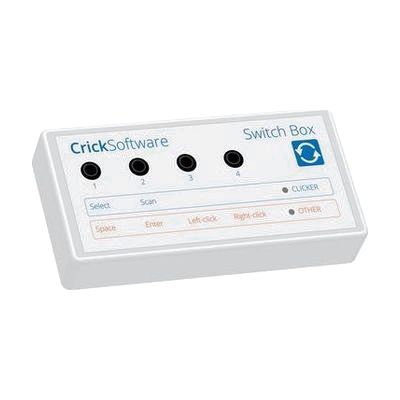
The Crick USB Switch Box connects one or more assistive switches to a Mac or PC through a USB lead, which is included. It works with Clicker, a popular educational and communication program, with no setup, so someone who can't use a mouse or keyboard can control the software with a switch. It is built for people who need dependable switch access across different software for learning and communication. This is the interface only, so you'll need your own switches and a switch-accessible program to get any benefit from it.
Verified 4 days agoProfessional guidance helps