Browse Assistive Technology
Products
-
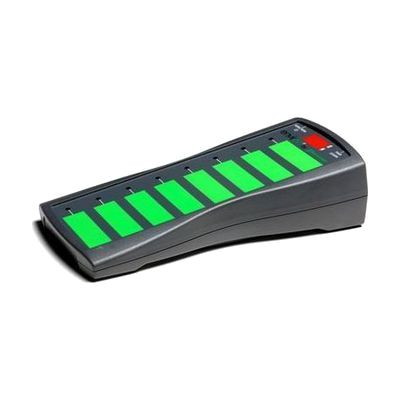
EnvirON Scanning Remote
Est. $150–$350
The EnvirON Scanning Remote lets someone control up to eight functions on infrared and mains-powered devices, such as a TV, radio, lights or kitchen appliances, from one handheld unit. Its large touch-sensitive buttons can be pressed directly, or you can run it with one or two switches that step through the options (scanning). That makes it useful for a person who can't reach or press small buttons but can reliably hit a switch. It's built to work with the EnvirON Hub and the free EnvirON iOS app, and it also works with iOS Switch Control through switches like the APPlicator or iSwitch. Plan on choosing and positioning switches and teaching the scanning pattern; it works best as part of a larger setup.
Verified 4 days agoProfessional guidance helps -

Scanmarker Reader Scanning Pen
$199.00
The Scanmarker Reader is a pocket-sized pen that you slide along a line of printed text, and it reads that line aloud through an app on a computer or smartphone. It works with 6 to 24 point print and more than 70 languages, and on screen you can change the voice, reading speed, font size, colors and spacing to make the text easier to follow. It can read as you scan or after the scan is done, and it comes with a guide that helps the pen stay on one line. It connects by Bluetooth, so the computer or phone needs Bluetooth 4.1 and an internet connection. It scans one line at a time, so it suits short passages better than long documents.
Verified todaySetup with instructions -
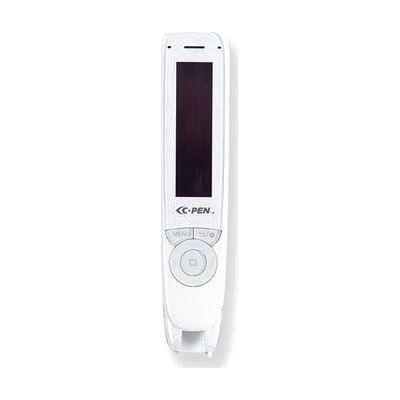
C-Pen Reader2 Pen Scanner UPDATED
$499.95
The C-Pen Reader2 is a pocket-sized pen scanner. You slide it across a line of printed text and it reads the words aloud in a natural-sounding digital voice, in English with a choice of accents (Irish, Scottish, Indian, Australian, Latin and American Spanish). It works for left- and right-handed users and has a built-in speaker, plus a headphone jack if you want privacy. It can also record voice memos and capture lines of text to send to a PC or Mac. An exam lock setting can limit the pen to just the text reader, or to the dictionary and text reader, behind a PIN. That makes it a good fit for students who struggle to read print, and for anyone who wants a stand-alone reader that needs no phone or tablet. Since it reads one line at a time, it suits short passages better than long documents.
Verified 2 days agoReady to use -
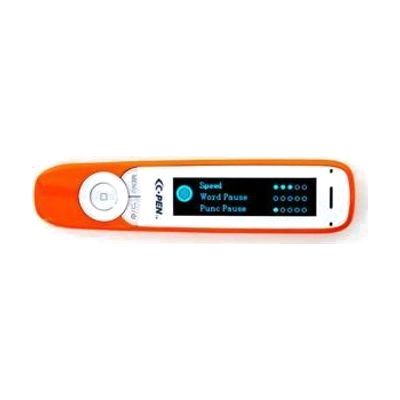
C-Pen Exam2 Pen UPDATED
$499.99
The C-Pen Exam2 is a pocket-sized pen reader. You slide it along a line of printed text, and it reads the words aloud in a natural-sounding digital voice. English voices come in several accents, including Irish, Scottish, Indian, Australian, Latin and American Spanish, so a student can pick one that feels familiar. It works for left- or right-handed use, and it can start reading as soon as you lift it after a scan or wait until you tell it to. If you can run a highlighter over a line of text, you can scan with this pen. It suits students and adults who struggle to read print on their own, and it is approved for use in UK exams. It reads printed text only, so it won't help with on-screen content.
Verified 2 days agoReady to use -
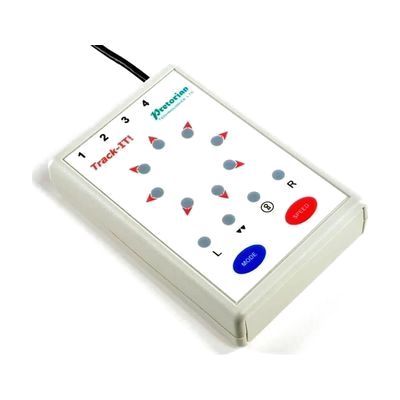
Track-IT!
Est. $150–$450
Track-IT! is a scanning mouse that gives computer access to people who can't use a standard mouse or keyboard. Scanning means the cursor moves through choices on its own, and the user triggers a selection with a switch instead of steering by hand. It's meant for people with motor skill difficulties who find regular input devices impractical. The options can be programmed, so it can be tuned to how each person moves and responds. Because it relies on a switch for input, it works best as part of a larger setup, and getting the scan timing and switch placement right usually goes more smoothly with a therapist or AT specialist.
Verified 4 days agoProfessional guidance helps -
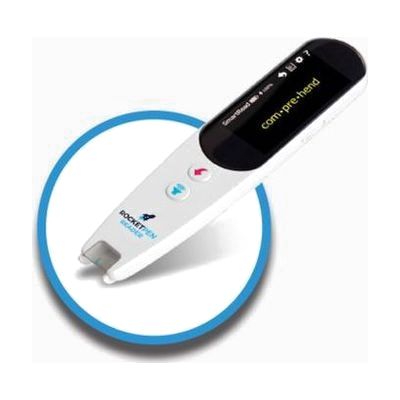
RocketPen Reader - A Superpower Reading Tutor
$399.99
The RocketPen Reader is a handheld scanning pen that reads printed or on-screen words aloud when you slide it across them. It can read single words or several lines in a natural voice, and it works on paper as well as phone, tablet, and computer screens. For reading practice, it breaks words into syllables, spells them out, and shows the selected word in large type. Built-in Oxford dictionaries and thesauruses cover the lookups. It scans English and French only, though it also holds an English-to-Spanish dictionary. It is meant for people who struggle with reading, such as those with dyslexia, and for language learners. It works on its own with no computer or Wi-Fi, and plugging in earbuds mutes the speaker so a student can use it quietly in class.
Verified 2 days agoSetup with instructions -

Apple Switch Control & AssistiveTouch
Free
Switch Control is the scanning feature built into Apple devices. It lets someone run an iPhone, iPad, Mac, or Apple TV without touching the screen the usual way. Instead, the device highlights items one by one, and you pick the one you want using an adaptive switch, a game controller, a head or hand gesture, AirPods gestures, Back Tap, or a simple sound like a click or pop. You can build custom panels and keyboards, save different profiles for different times or places, and use one device to control other Apple devices on the same Wi-Fi network. It's free software, but plan on setting up the scanning style and your input method before it feels comfortable. If you use a physical switch, you'll need to buy that hardware separately.
Verified 3 days agoSetup with instructions -
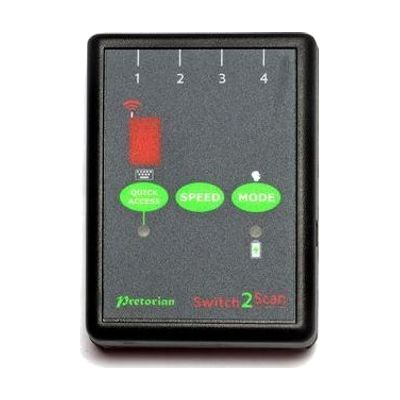
Switch2Scan for iPad
Est. $150–$350
Switch2Scan is a small Bluetooth switch interface that lets someone control an iPad using one or more wired switches instead of touching the screen. It scans through items on screen, either automatically or one step at a time by hand, so it works for apps, turning pages in iBooks, and typing on the on-screen keyboard. You can plug in up to four wired switches, pick from four scanning speeds, and scan forward or backward. This is the interface only, so you'll need your own switch or switches, and the listed compatibility covers older iPad, iPod and iPhone models.
Verified 4 days agoProfessional guidance helps -
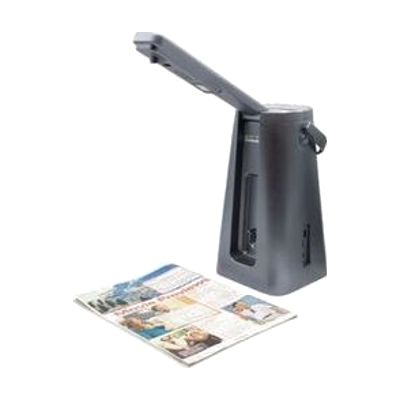
Odyssey Text to Speech Reader
$1,950.00
The Odyssey is a portable scanner and reader that turns printed text into spoken words. You place a page, label, or package under the scanner arm, and it reads the text aloud. It handles small items like food labels as well as pages up to 12" x 16", such as newspapers, books, and magazines. It reads in English, Spanish, and French, can translate between them, and stores up to 1,000 scans for later. Large tactile buttons sit on top, and a simple mode turns off every button except volume and play/pause. Listen through the built-in speaker, an external speaker, or Bluetooth headphones. It's a complete, stand-alone reader, though it only works with printed text that is flat and clear enough to scan.
Verified todaySetup with instructions -

Lets Go To The Seaside
Est. $30–$80
This is an interactive seaside story for Windows, where each page has animations and a few simple choices, like picking sunglasses, using a telescope, or making a sandwich. Learners can respond with a mouse click, a touch screen, or a switch, and the small number of click areas makes it a good way to practice switch scanning. Along the way it touches on everyday ideas like sun safety and picking up litter, and it gives practice with sequencing, matching, and spotting patterns. It suits young learners who are building early choice-making, comprehension, and early reading skills.
Verified 1 week agoSetup with instructions -
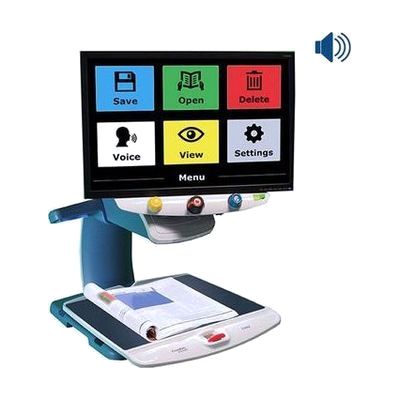
TOPAZ OCR Desktop Video Magnifier
The TOPAZ OCR is a desktop video magnifier with a high-definition camera that shows print on a screen as sharp, clear text. Because the image is crisp, you can often use a lower magnification and see more on the screen at once. That means less sliding of the XY table (the moving platform under the camera) when reading, looking at pictures, or doing crafts. It also has an OCR camera. OCR means the device reads printed text and turns it into speech. One tap on the screen switches it from magnifier to a scan-and-read mode that shows the page and reads it aloud. It suits someone who wants magnification and read-aloud in one desk-based unit.
Verified 4 days agoSetup with instructions -
PEARL Portable Reading Camera
Est. $300–$600
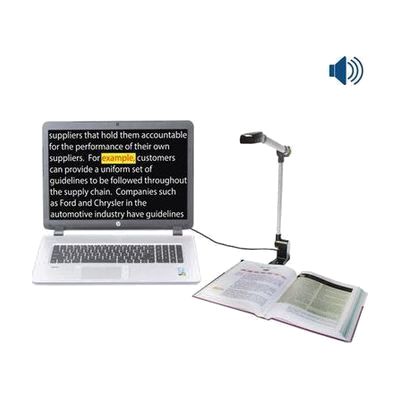
The PEARL is a folding camera that connects to a Windows PC and reads printed pages aloud. You place a book or document under it, it takes a picture, and the reading software speaks the text in a natural-sounding voice. In automatic mode it notices when you turn a page and captures the new page on its own, so you can read a whole book without pressing anything each time. It folds down to about 14 by 3 by 2 1/8 inches and comes with a neoprene case, so it travels easily. It does not work alone: it needs a PC running JAWS, Fusion, or OpenBook to do the scanning and reading.
Verified 4 days agoSetup with instructions -

Illuminated Oval Magnifier
$9.95
This dome magnifier sits flat on the page and slides across it, so you don't have to hold a lens steady above the print. It enlarges text 2X and has a built-in light with a push button on/off switch. The oval dome is about 2.4 inches across at its widest point, which makes it a good fit for scanning lines of small print on maps, newspapers, phone directories, catalogs, and photos. It also works for hobby close-up work like stamps, coins, and crafts. 2X is a modest level of enlargement, so it suits someone who needs a little help with fine print rather than a lot.
Verified 1 week agoReady to use -
OpenBook
$1,100.00
OpenBook is Windows software that turns printed pages into text on your computer and reads that text aloud. It uses OCR, which means optical character recognition, to pick out the words from a scanned page, and it draws on two OCR engines, OmniPage and FineReader, to get accurate results. It also works on text inside images, not just clean printed pages. This is a good fit for someone who can't read print comfortably and wants to read mail, books, or handouts independently. It needs a scanner to capture the pages, and getting good results takes some practice with scanning and the software's settings.
Verified 4 days agoSetup with instructions -
Windows Narrator
Free
Narrator is the screen reader that comes built into Windows 11, so there is nothing to download or install. It reads aloud what is on the screen, which lets someone who can't see the display use apps, browse the web, and move around Windows. You can adjust how fast it speaks and how loud it is, and it has a scan mode for moving through apps, email, and web pages. Microsoft publishes a full guide to Narrator, in Word and PDF versions in English, plus separate how-to articles for the Start menu, Settings, File Explorer, Office apps, and Teams. Screen readers take practice, so plan on some time with the guide before it feels natural.
Verified 3 days agoSetup with instructions -

Walters 7x21 Monocular Lightweight, Bright & Compact
$237.95
This is a 7x21 monocular, a small handheld scope that makes faraway things look seven times closer. It's useful for reading signs, bus numbers, or a whiteboard from a distance. It weighs 2.75 ounces and is about 3-1/4 inches long, so it slips into a pocket or hangs from the included neck strap. It focuses as close as 10 inches, which means it can also help with nearer viewing tasks. A case comes with it. The field of view is a narrow 7.5 degrees, so expect to scan slowly to find your target, and you'll need a steady hand to hold it still.
Verified yesterdaySetup with instructions -
Switch Skills 3
Est. $40–$120
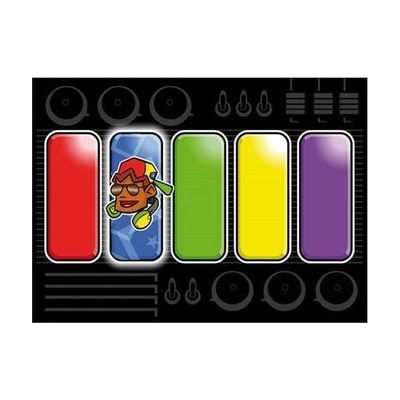
Switch Skills 3 is a set of switch-accessible activities that help someone practice timing their presses and then move on to early scanning. Activities start with simple timing tasks. Many can be set to be error-free, which builds confidence, or set to be harder so the person can practice accuracy. Settings can be adjusted for each learner, so it suits a child who is building more refined switch control. You'll need a switch and a way to connect it to your device, and an iPad version of some of the activities is sold separately.
Verified 1 week agoProfessional guidance helps -

Closeup 6x18mm Close-Focusing Monocular
$40.95
This small handheld monocular magnifies 6x and can focus as close as about 10 inches. That means one tool can handle both distance viewing and close-up looking. It weighs only 1.6 ounces and measures about 3.5 by 1.3 by 1.3 inches, so it slips easily into a pocket or bag. It's aimed at people with low vision who want a portable way to see signs, faces, or small print. The field of view is a narrow 8 degrees, so you see a small area at a time, and you'll need to hold it steady to scan.
Verified yesterdayReady to use -

Lime Lighter Low Vision Music Reader
$3,395.00
The Lime Lighter is a ready-to-use package for musicians who can't read standard printed music. It puts the music on a Windows touch screen tablet, magnified from 1.25X up to 10X, and you turn pages hands-free with a Bluetooth foot pedal. You can bring music in by scanning pages with the included SharpEYE music reader, importing musicXML files, or typing or playing it in. You can also save your own markings and play the music back at any tempo. The tablet is light enough to sit on a music stand.
Verified yesterdaySetup with instructions -
Zoomax Snow 12 Portable CCTV with Foldable Stand
$1,555.00
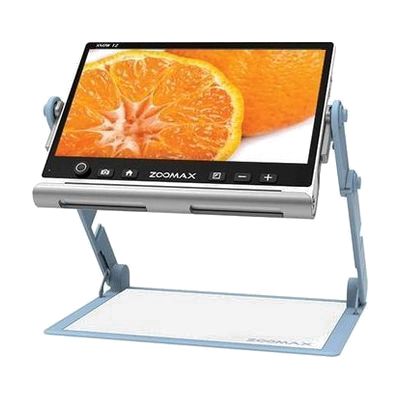
The Snow 12 is a portable electronic video magnifier. It shows enlarged text and objects on its screen, so you can read, write, or look closely at small things. It also has a full-page scan feature with OCR, which reads printed text aloud. A foldable stand is included in the name, which suggests you can set it on a table for hands-free reading. This is a fuller device than a pocket magnifier, so expect to spend a little time learning its controls before it feels natural.
Verified 2 days agoSetup with instructions -

Accessible Literacy Learning (ALL)
Est. $149–$499
The ALL Reading Program teaches basic reading skills to students who are nonverbal and use AAC (augmentative and alternative communication). Students can work through the lessons by touch, eye gaze, or scanning, so the program can follow whichever access method works best for them. It runs on Windows and iOS, and on Tobii Dynavox I-Series and I-110 devices. A teacher, SLP, or AT specialist will likely get the best results by choosing the right access method and guiding how the program is used.
Verified 4 days agoProfessional guidance helps -
RUBY 10
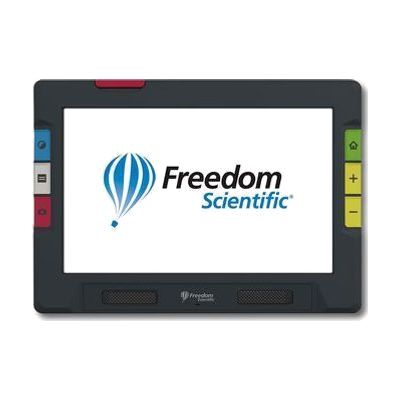
The RUBY 10 is a portable video magnifier with a 10-inch touchscreen and three cameras. It enlarges print, labels, magazines, and photos on screen. A swing-out arm lets you view and write on items in your hand, and a third camera looks at things farther away, like signs or menus on a wall. On the speech model, extending the arm also allows full-page OCR (text recognition), so you can scan a page and have it read aloud. The speech feature is only on that model, so check which version you're ordering.
Verified 4 days agoSetup with instructions -

COIL VTM Visual Tracking Magnifier - Red 1.7x/18.9D
$43.95
This is a small round handheld magnifier, about 2 inches across, with a narrow strip through the middle and a guiding line to help your eyes stay on one line of text as you slide it down the page. The soft-touch grip is easy to hold and move, and protective lens caps are included. It's meant for people with low vision and for children who lose their place while reading, such as those with dyslexia. The product name says 1.7x, but another listing calls it 1.5x, so check the magnification before you order if it matters. It also magnifies only a thin band of text at a time, so it suits line-by-line reading, not scanning a whole page.
Verified todayReady to use -

SpeechLabel Starter Package - Audio Labeling Kit for Low Vision
$23.95
This kit lets you label things around your home with your own recorded voice. You stick a label on an item, scan it with the free SpeechLabel app, and record a message or type a description. The next time you scan it, the app reads your note back, which helps with identifying groceries, clothing, medications, documents, and other household items. The starter package has 25 grocery barcode labels, 5 thick barcode labels, 5 NFC stickers, and 5 NFC buttons, so you can try both label types and see which one suits you. The labels handle everyday use and light moisture, so they work in kitchens, pantries, and closets. You need your own iPhone, iPad, or Android phone or tablet, since the app does the scanning and speaking.
Verified 2 days agoSetup with instructions