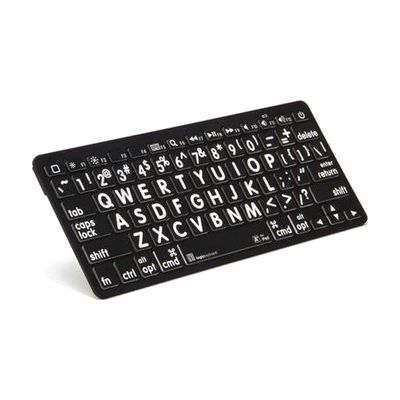
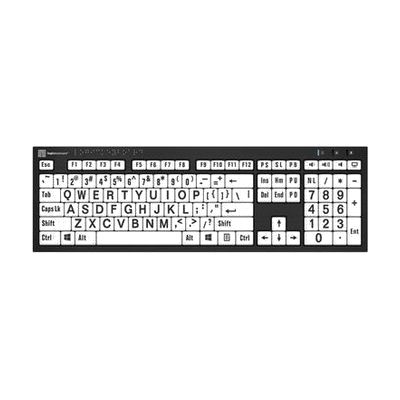
iPad Bluetooth Keypad - White on Black Keys
by LS&S
Price is what the vendor listed when last checked. Confirm it with the vendor before buying.
What it is
Summary
AI-generated from vendor-published content · October 1, 2026
This Bluetooth keypad connects wirelessly to an iPad, iPhone, or iPod and gives you a physical set of keys to type with. The keys show white letters and numbers on an all-black background, which makes them easier to see if small or low-contrast print is a struggle. At about 11 by 5 by 1 inches, it's a compact board you can set in front of the screen. It's a good fit for someone who finds the on-screen keyboard hard to see or hard to hit accurately.
Getting it
Try before you buy
Devices like this are often available to borrow through your state's AT Act program — typically free or low-cost — so you can try it before buying or pursuing funding.
Where to get it
This is the vendor WhatCanHelp tracks for this product — it may also be available from other retailers or a local supplier, and prices vary.
How to fund this
These are common places to ask about paying for equipment like this. Each one decides its own eligibility and what it covers, so start by asking them.
Details
Quick Facts Catalog facts · auto-generated
- Addresses
- Platform
- Age range
- Complexity
- Setup with instructions
- Price
- $114.95
- Funding
- AT Act lending
- Out of pocket
- Vocational rehab
What setup looks like
- With a guide
- Turn the keypad on and put it in Bluetooth pairing mode.
- On your Apple device, open Bluetooth settings and select the keypad from the list to pair it.
- Open an app with a text field and type a few words to check that the keys work. Plan on about 15-30 minutes.
Compare & explore
More alternative input
-

-
-
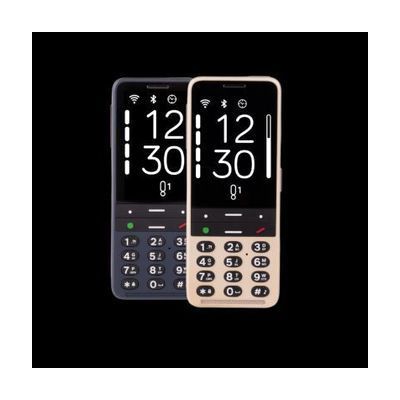
BlindShell Classic 3 Talking Cell Phone
$756.76 – $790.00
-
-
-
Sources & fine print
Vendor facts (name, price, platforms, vendor link) sourced from LS&S — view on vendor site (opens in a new tab); last checked November 24, 2026.
Classification & description AI-generated from vendor-published content on October 1, 2026 · confidence: high. Vendor specs may lag; verify before relying on details in a clinical or funding artifact.