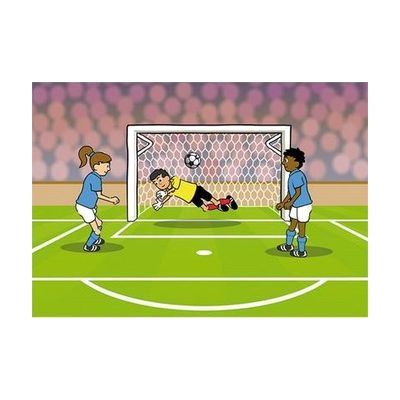
SwitchIt! Sports Extra
Last verified July 28, 2026 · classified April 26, 2026
What it is
Summary
AI-generated from vendor-published content · April 26, 2026
SwitchIt! Sports Extra is a Windows software program that lets learners activate animated sports stories and picture-building activities using a switch, touchscreen, mouse, or interactive whiteboard — making cause-and-effect learning accessible to students with significant physical disabilities. It's designed for children in special education settings who are developing early switch skills, sequencing, and communication alongside sports and healthy living topics; the inclusion of wheelchair basketball and other para-sports makes it particularly relevant for classrooms focused on disability awareness. The package is a complete software solution that installs on Windows and includes printable worksheets and tactile braille worksheets (the braille sheets require a swell-paper heat fuser to produce raised images, which is separate equipment). Note that this is a Windows-only program — it won't run on iPads, Chromebooks, or Mac computers, which limits where it can be used in school settings.
Quick Facts Catalog facts · auto-generated
- AT Act lending
- Out of pocket
- School district
What Setup Looks Like
- Out of the box
Download and install the software on a Windows computer using the email delivery link — stories and activities are accessible immediately after installation. - With a guide
- Connect a switch interface and switches if using switch access (requires compatible switch interface hardware, sold separately).
- Review the included activity sheets and identify which printable or braille worksheets match current IEP or curriculum goals.
- Allow 30–60 minutes to explore activity settings and configure switch scanning speed or touchscreen options to match the learner's needs. See manufacturer support resources for detailed instructions.
- With professional help
- A special education teacher, OT, or ATP should assess the learner's current switch access level (cause-and-effect vs. scanning) and configure scanning speed and access method accordingly.
- For learners using braille worksheets, a teacher of the visually impaired (TVI) should oversee production using swell paper and a heat fuser.
Getting it
Try Before You Buy
Devices like this are often available to borrow through your state's AT Act program — typically free or low-cost — so you can try it before buying or pursuing funding.
Where to Get It
This is the vendor WhatCanHelp tracks for this product — it may also be available from other retailers or a local supplier, and prices vary.
Some links may be affiliate links — WhatCanHelp may earn a small commission from purchases at no extra cost to you. More on affiliates →
As an Amazon Associate we earn from qualifying purchases.
Wondering how equipment like this gets paid for? See the official funding programs in your state.
Compare & explore
Sources & fine print
Vendor facts (name, price, platforms, vendor link) sourced from Inclusive Technology — view on vendor site; last verified July 28, 2026.
Classification & description AI-generated from vendor-published content on April 26, 2026 · confidence: high. Vendor specs may lag; verify before relying on details in a clinical or funding artifact.