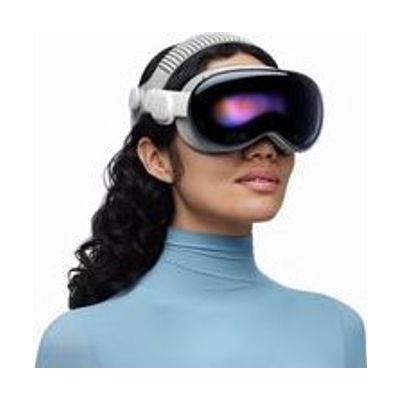
Apple Vision Pro
by Apple
Last verified July 28, 2026 · classified April 26, 2026
What it is
Summary
AI-generated from vendor-published content · April 26, 2026
Apple Vision Pro is a spatial computing headset that overlays digital content onto your view of the real world, controlled entirely through eye tracking, hand gestures, and voice — no physical controller required. For people with motor, vision, or cognitive differences, this hands-free, gaze-based interaction model can provide computer access when traditional mice and keyboards aren't workable, and the large virtual display environment can benefit users with low vision who need expansive screen real estate. You get a complete standalone headset that runs visionOS apps natively, connects to a Mac wirelessly as an external display, and supports many iOS and iPad OS accessibility features including Switch Control, VoiceOver, Zoom, and AssistiveTouch. Be aware that the battery lasts only about 2.5 hours on a tethered external pack, the device is heavy enough to cause discomfort with extended wear, and at $3,499 it is a significant investment with limited dedicated AT software currently available.
Quick Facts Catalog facts · auto-generated
- AT Act lending
- Out of pocket
- Vocational rehab
What Setup Looks Like
- Out of the box
- Put on the headset, complete the eye-tracking and hand-gesture calibration guided by the onboarding flow — takes about 5 minutes.
- Access Accessibility settings under Settings → Accessibility to enable VoiceOver, Zoom, Switch Control, or other features before first use.
- With a guide
- Order ZEISS Optical Inserts using your current glasses prescription through Apple's checkout process before the headset arrives — they ship separately.
- Fit adjustment (Fit Dial and Light Seal) may take several attempts to get a comfortable, light-blocking seal; allow 20–30 minutes for initial fitting.
- Pair Bluetooth switches or keyboards via Settings → Bluetooth if using Switch Control for alternative access. See manufacturer support resources for detailed instructions.
- With professional help
- An assistive technology professional (ATP) or occupational therapist (OT) can evaluate whether gaze/gesture input is appropriate for the individual's motor and vision profile before purchase.
- For use as a primary AAC or computer access solution, an SLP or ATP should configure Switch Control scanning, VoiceOver settings, and app layout — expect 2–4 sessions over several weeks.
Getting it
Try Before You Buy
Devices like this are often available to borrow through your state's AT Act program — typically free or low-cost — so you can try it before buying or pursuing funding.
Where to Get It
This is the vendor WhatCanHelp tracks for this product — it may also be available from other retailers or a local supplier, and prices vary.
Some links may be affiliate links — WhatCanHelp may earn a small commission from purchases at no extra cost to you. More on affiliates →
As an Amazon Associate we earn from qualifying purchases.
How to Fund This
Equipment like this is often pursued through official state programs. These are common starting points — each program decides its own eligibility and what it covers, so the first step is always a phone call.
Compare & explore
Sources & fine print
Vendor facts (name, price, platforms, vendor link) sourced from Apple — view on vendor site; last verified July 28, 2026.
Classification & description AI-generated from vendor-published content on April 26, 2026 · confidence: high. Vendor specs may lag; verify before relying on details in a clinical or funding artifact.