Browse Assistive Technology
Products
-

PODD Alternative Access (A4 Version)
Est. $150–$400
This is a set of templates and guides for building PODD communication books, which are paper-based AAC (communication) books, for people who can't point directly to pictures. It covers 22 book layouts for eye-gaze access, partner-assisted visual scanning, and combinations such as eye-gaze plus scanning or coded access. The pack includes an information file on access methods and vocabulary, a step-by-step construction file, Boardmaker templates, and demonstration videos, all on a USB drive. You supply the Boardmaker 6 software, which is needed to customise and print the templates, so this is a build-it-yourself resource and not a ready-made book. It is intended for professionals and families, and it is sold to UK customers only.
Verified 4 days agoProfessional setup required -
Mac mini
$599.00
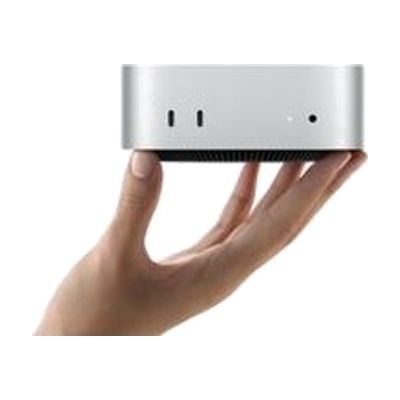
The Mac mini is a small desktop computer, about five by five inches, that runs macOS and connects to the monitor, keyboard, and mouse you choose. That freedom is what makes it useful for assistive technology: you can pair it with larger or specialized displays, alternative input devices, or switch-based setups, and use the accessibility features built into macOS. It has ports on both the front and back, and it can sit next to a monitor or be mounted out of the way. Keep in mind that it is only the computer itself, so you need to supply the screen and input devices, and any assistive setup is up to you.
Verified 4 days agoSetup with instructions -
Equatio
$179 every year
Equatio lets you put math on the screen without fighting a keyboard. You can speak an equation, write it by hand, type it in an equation editor that predicts what you're building, or enter LaTeX (a typesetting code for math). It also includes a Screenshot Reader, which picks up math from an image. It can make alt-text for math, so screen reader users can follow equations, and it has a Google Forms creator for building math questions. This is a good fit for students or teachers who find typing math slow, hard on the hands, or hard to see.
Verified 4 days agoSetup with instructions -
Inclusive Simple Switch Box
Est. $25–$65
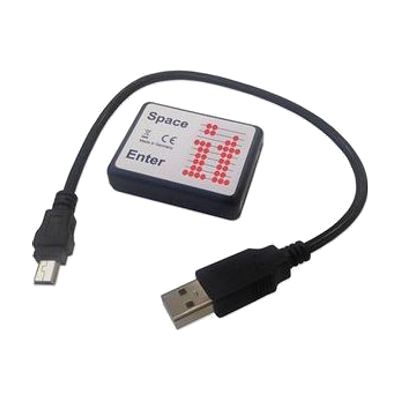
The Simple Switchbox lets someone use one or two switches to send space and enter key presses to a computer through a USB port. It has two jack sockets for plugging in switches and needs no software installed. It only works with programs that respond to space and enter keys, such as Inclusive Technology's SwitchIt! and Maker series. You'll need to supply the switches yourself, and anything that needs other kinds of switch input won't work with this box.
Verified 4 days agoSetup with instructions -

Dragon NaturallySpeaking Premium 15
$699.00
Dragon NaturallySpeaking Premium turns your speech into typed text on a Windows computer, so you can write documents and email by talking instead of typing. You can also speak commands to edit and proofread text, open programs, and move between them. It works with Word and WordPerfect, and a sidebar shows handy commands for whichever window is open. Custom commands let you tailor it to how you work. It's a good fit if typing is hard or tiring, or if you prefer to work without a keyboard. Heads-up: the page text mixes version numbers (13, 11 and 15), so confirm which version you are getting before you buy.
Verified todaySetup with instructions -
Inclusive Easy Choice Bundle
Est. $150–$450
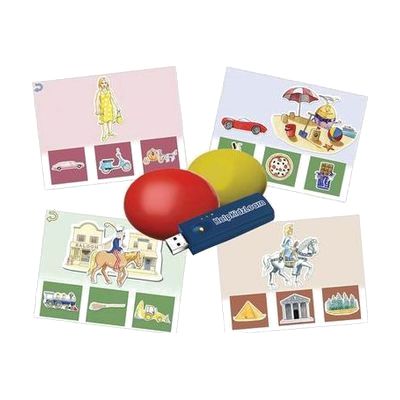
This bundle pairs two wireless switches with HelpKidzLearn software called EasySwitch and Choose and Tell. Together they give a child a way to start making choices and to practice scanning, where options are highlighted one at a time and a switch press picks one. It is made for young learners who are building early choice-making skills and need a switch, rather than a mouse or touchscreen, to take part. Because the switches are wireless, they can be positioned where a child can reach them most easily. The software runs on a computer, so you'll need one set up and ready.
Verified 4 days agoProfessional guidance helps -
Read&Write
Price on request: ask the vendor
Read&Write adds a toolbar to your device that supports reading and writing in one place. It can read text aloud, turn speech into typed words (Talk&Type), and suggest words as you type. It can also read text inside images, show picture and text dictionaries, highlight text, mask part of the screen, and translate. You can use it as a Chrome extension or on Chromebook, Windows, Mac, iPad, iPhone, Android and Edge, so one tool can follow a student from school to home. Plans are sold per seat, and K-12 teachers get the premium subscription free.
Verified 4 days agoSetup with instructions -
LyriQ Assistive Text to Speech Reader
$2,095.00
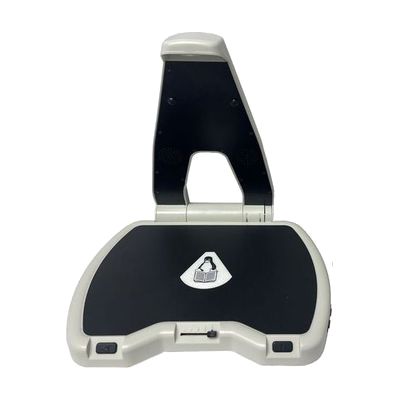
The LyriQ is a stand-alone reader that scans printed pages and reads them aloud. You set a page under its camera and it starts speaking on its own, with no button press needed. That makes it a good fit for someone who finds mail, recipes, prescription labels, or books hard to read. You can control it with hand gestures, the buttons on its base, or an optional keypad sold separately. You can change the voice, language, and reading speed, and skip forward or back by sentence. It plays through built-in speakers, an audio jack, or Bluetooth headphones. It runs on a rechargeable battery rated for 15 hours or plugs into AC power, folds flat, and weighs about 3 pounds. Multi-page documents like books can be saved to a USB flash drive.
Verified todaySetup with instructions -

SwitchIt! Farm Extra
Est. $40–$90
SwitchIt! Farm Extra is Windows software that uses farm scenes to teach cause and effect, early choice-making, and language. It has four activity types: five-step animated sequences of farm routines, picture-building with animated rewards, flash cards with spoken text, and a picture menu where a learner picks a scene from a list the teacher sets up. You can adjust the steps and the timing of rewards, and save settings for each learner. It works with one or two switches, a touch screen, a mouse, IntelliKeys or a Concept Keyboard. A bundle of printable worksheets and tactile braille worksheets is included, but the braille pages need swell paper and a heat fuser to print.
Verified 4 days agoProfessional guidance helps -

Wilson Reading System IV, WADE Sheets
$175.00
These WADE sheets are part of the Wilson Reading System, a structured, multisensory literacy program for struggling readers at all reading levels. They are a piece of the larger program, not a standalone product, so they are meant to be used within Wilson instruction.
Verified 3 days agoProfessional setup required -

Typing Aid
$25.95
This typing aid clips onto your hand and holds a soft plastic key depressor, so you can press keys without using a bare finger. It works on typewriters, computers, telephones, calculators, and similar devices with keys or buttons. The clip can be re-bent to fit your hand, which helps get a comfortable position. It suits someone who has trouble pressing individual keys with their fingers.
Verified 2 days agoSetup with instructions -
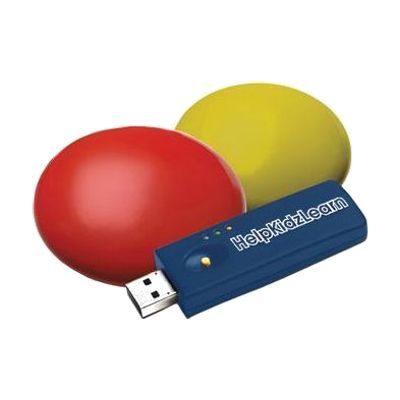
HelpKidzLearn EasySwitch
Est. $60–$150
The EasySwitch gives a child a wireless way to play switch-accessible games and activities on a computer. The bundle has a USB dongle and two low-profile switches, one yellow and one red, and the switches respond to very light movement, so they suit someone with limited movement. Press the 'M' button on the back of a switch to assign a keystroke such as Space or Enter, which lets the switches work with HelpKidzLearn games and other switch-accessible software. It is a complete starter set for computer access, though you still need a computer with a USB port and software that accepts switch input.
Verified 4 days agoSetup with instructions -
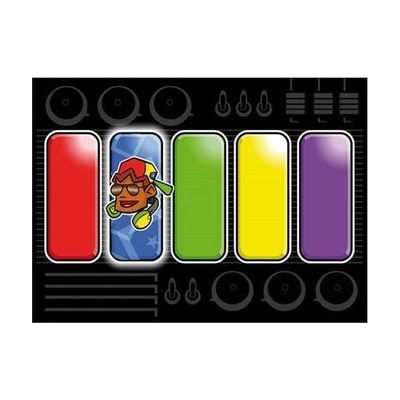
Switch Skills 3
Est. $40–$120
Switch Skills 3 is a set of switch-accessible activities that help someone practice timing their presses and then move on to early scanning. Activities start with simple timing tasks. Many can be set to be error-free, which builds confidence, or set to be harder so the person can practice accuracy. Settings can be adjusted for each learner, so it suits a child who is building more refined switch control. You'll need a switch and a way to connect it to your device, and an iPad version of some of the activities is sold separately.
Verified 1 week agoProfessional guidance helps -
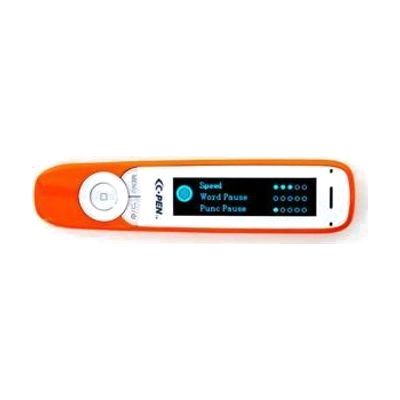
C-Pen Exam2 Pen UPDATED
$499.99
The C-Pen Exam2 is a pocket-sized pen reader. You slide it along a line of printed text, and it reads the words aloud in a natural-sounding digital voice. English voices come in several accents, including Irish, Scottish, Indian, Australian, Latin and American Spanish, so a student can pick one that feels familiar. It works for left- or right-handed use, and it can start reading as soon as you lift it after a scan or wait until you tell it to. If you can run a highlighter over a line of text, you can scan with this pen. It suits students and adults who struggle to read print on their own, and it is approved for use in UK exams. It reads printed text only, so it won't help with on-screen content.
Verified 2 days agoReady to use -

SwitchIt! Weather Extra
Est. $40–$80
SwitchIt! Weather Extra is a Windows program of weather-themed activities for learners who use a switch, mouse, keyboard, or touch screen. It has three activity types: 12 five-step event sequences, picture building (step by step or one touch), and flash cards with spoken support. A picture menu lets non-readers choose their own stories and scenes. It's a good fit for working on cause and effect, sequencing, and early choice-making while building switch skills. You can adjust the number of steps and the reward time, and save settings for each learner. Printable worksheets and braille worksheets (for swell paper and a heat fuser) are included for offline work. You'll need a switch and a way to connect it to the computer to use it with switches.
Verified 4 days agoSetup with instructions -

Assessment Switch Kit
Est. $400–$900
This kit puts a range of different switches in one plastic carrying box so a clinician can try several and see which one a person can use most reliably. The switches work in different ways, including waving a hand near a sensor, tapping a flat pad, pressing a button, moving the chin, and a finger-mounted button. Some give a click or touch cue and some need almost no pressure. This is a tool for the person doing the evaluation, not a switch to hand to a user to keep. You'll still need a device for the switches to control, and the list shown is partial, so check the full contents before ordering.
Verified 1 week agoProfessional setup required -
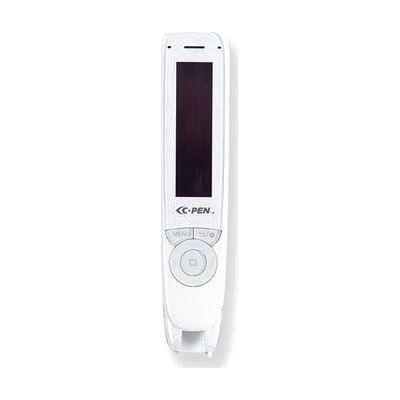
C-Pen Reader2 Pen Scanner UPDATED
$499.95
The C-Pen Reader2 is a pocket-sized pen scanner. You slide it across a line of printed text and it reads the words aloud in a natural-sounding digital voice, in English with a choice of accents (Irish, Scottish, Indian, Australian, Latin and American Spanish). It works for left- and right-handed users and has a built-in speaker, plus a headphone jack if you want privacy. It can also record voice memos and capture lines of text to send to a PC or Mac. An exam lock setting can limit the pen to just the text reader, or to the dictionary and text reader, behind a PIN. That makes it a good fit for students who struggle to read print, and for anyone who wants a stand-alone reader that needs no phone or tablet. Since it reads one line at a time, it suits short passages better than long documents.
Verified 2 days agoReady to use -

Widgit Online
Yearly plan: ask the vendor
Widgit Online is a web-based tool for making materials that pair words with pictures (symbols). You can build visual timetables, communication books, flashcards, worksheets, social stories, supported reading materials, mind maps, and templates for AAC devices, either from hundreds of ready-made templates or from a blank page. It runs in a browser on a PC, Mac, or iPad, so there's nothing to install or update. It's a good fit for teachers, parents, and professionals supporting someone with communication needs, or someone building literacy skills. This is a subscription, and the activation code arrives by email after ordering. The vendor lists it for UK customers only, and an optional Dual Language Add-On translates materials into more than 80 languages.
Verified 4 days agoProfessional guidance helps -
(Louis) New Spirit of Change Reader, A (Large Print)
$139.00
This is the large print edition of "A New Spirit of Change," a reader that comes from APH's Louis Database, a catalog of books for students who read print or braille. It is a printed book, so there is nothing to power on or pair. It's meant for a young reader who needs bigger type to read comfortably. The product details are limited, so check the page for the grade level and page count before ordering.
Verified 3 days agoReady to use -

Quick Pick Math: Addition
$84.45
Quick Pick Math: Addition is a set of fifty addition question cards in a plastic packet, printed in both large print and Nemeth braille, the braille code used for math. It gives students who read braille or large print a game-style way to practice addition facts.
Verified 3 days agoReady to use -

Dual Channel Transcribers Headset
$199.95
This headset has two separate audio inputs, so you can listen to a transcriber and a speech synthesizer at the same time. Each device plugs in on its own channel, which helps if you work with both and don't want to keep swapping cables. Both inputs take a 1/8 inch mini plug, so you can also pair a synthesizer with a radio, cassette player, or television. It is a listening-only headset with no microphone.
Verified 2 days agoReady to use -
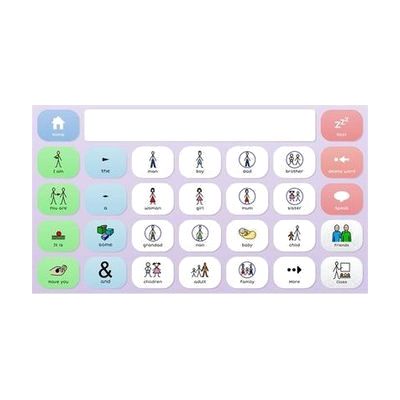
Grid 3 from Smartbox
Price on request: ask the vendor
Grid 3 is AAC software, meaning it gives a person a way to speak and write with symbols or text on a screen. It can be used by touch, switch, a pointing device, or eye gaze, so it fits people with very different physical access needs. It starts with ready-made symbol grid sets and grows into text tools with on-screen keyboards and word prediction, so it can follow someone from early cause-and-effect play to advanced writing. It also covers more than talking: it includes 25 animated learning activities, built-in apps like email, SMS, YouTube, and Facebook, full computer control, and control of lights, doors, and TVs. That last feature needs compatible environmental control hardware. Grid pages can be edited and updated remotely, which helps a therapist or family member support the user without taking the device away.
Verified 4 days agoProfessional guidance helps -
SwitchIt! Wildlife Extra
Est. $40–$90
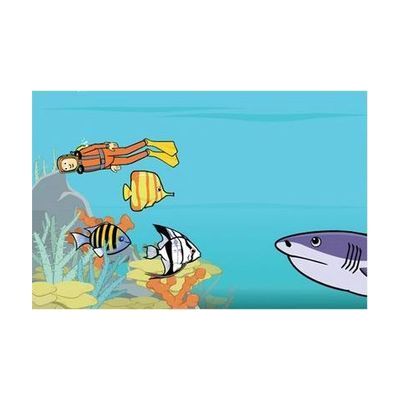
SwitchIt! Wildlife Extra is a Windows software program that uses animal and habitat themes to teach cause and effect, sequencing, and early choice-making. A learner can run it with one or two switches, a mouse, a keyboard, or a touch monitor. It offers three kinds of activities: five-step animated event sequences, picture building (step by step or one touch), and flash cards with spoken support. A picture menu lets children who don't read pick their own scenes. You can change the number of steps and the reward time, and save settings for each learner. It also comes with printable worksheets and braille worksheets made for swell paper and a heat fuser. If you plan to use switches, you'll need the switch hardware and a way to connect it to the computer.
Verified 4 days agoSetup with instructions -
n-ABLER Joystick
Est. $600–$1,800
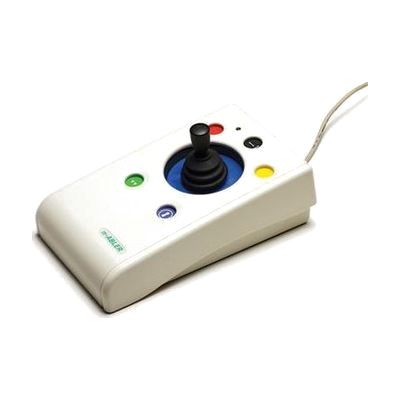
The n-ABLER Joystick is a mouse alternative you steer with light fingertip movements, so there's far less reaching and dragging than with a standard mouse. A built-in wrist support and a large, stable base help keep the hand steady. You can choose from three anti-tremor settings to filter out shaky movement. There are two handle styles, a soft ball and a T-bar, and buttons for left and right click, double-click, and drag lock. It plugs in over USB with no drivers on PC and Mac. It also works with iPad and iPhone, using an adapter and Switch Control. That makes it a good fit for someone who finds a regular mouse tiring or hard to control.
Verified 4 days agoSetup with instructions