Browse Assistive Technology
Products
-
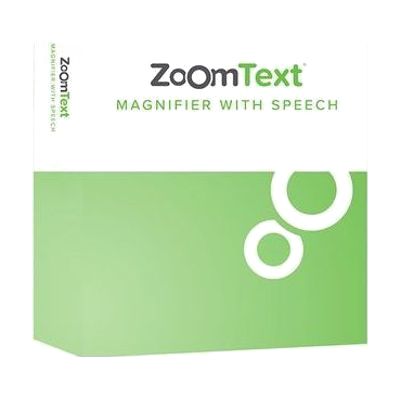
ZoomText Magnifier/Reader
$545 every year
Also from $93.50 every year
ZoomText Magnifier/Reader is Windows software that makes everything on your computer screen larger and easier to see. It also reads aloud, echoing what you type and announcing key program activity, so you can rely on hearing as well as seeing. It's built for people with low vision who still use the screen but need it enlarged and enhanced. Because it's software rather than a standalone device, it needs a Windows computer to run on.
Verified 5 days agoSetup with instructions -
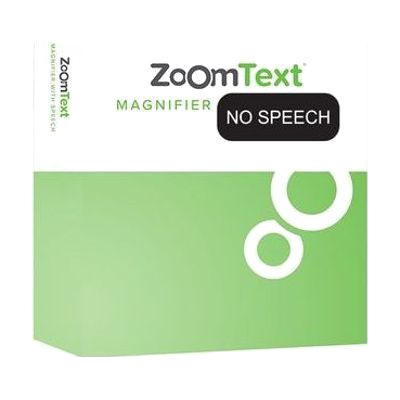
ZoomText Magnifier
$392 every year
ZoomText Magnifier is Windows software that enlarges and sharpens everything on the computer screen, so text, images, and menus are easier to see. It's meant for someone who can still use their eyes for the computer but needs more size and clarity than the standard display gives. Because it's software, it works with the programs you already use rather than replacing them.
Verified 5 days agoSetup with instructions -
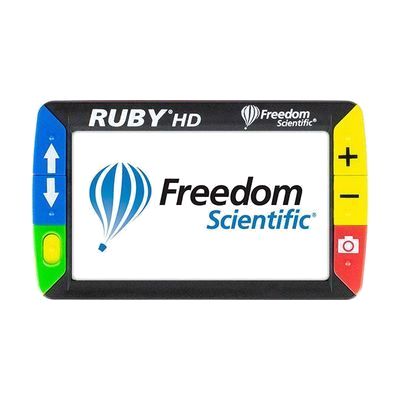
RUBY HD Handheld Video Magnifier
Est. $250–$450
The RUBY HD is a pocket-friendly video magnifier that uses a high-definition camera to show enlarged text and objects on its own screen. You can hold it like a magnifying glass using the folding handle, or set it flat on a page so you don't have to hold it at all. It works well for everyday small print, like restaurant menus, prescription labels, photos, and items at the grocery store. It's a complete device on its own, so you don't need a computer or tablet to use it.
Verified 5 days agoSetup with instructions -
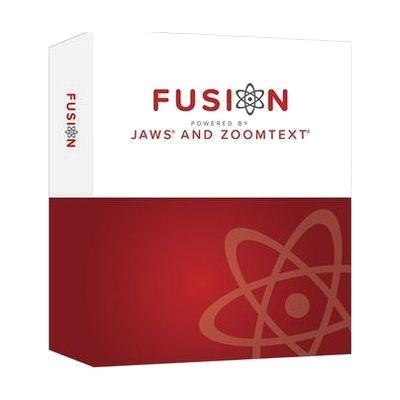
Fusion Home
$187 every year
Windows software that combines the ZoomText screen magnifier with the JAWS screen reader in a single install. Someone whose vision changes over time, or who uses magnification some days and speech on others, can move between enlarged, enhanced visuals and spoken output without switching programs. This is the Home edition, a personal-use license, so it suits an individual at home rather than a workplace deployment.
Verified 5 days agoProfessional guidance helps -
PEARL Portable Reading Camera
Est. $300–$600
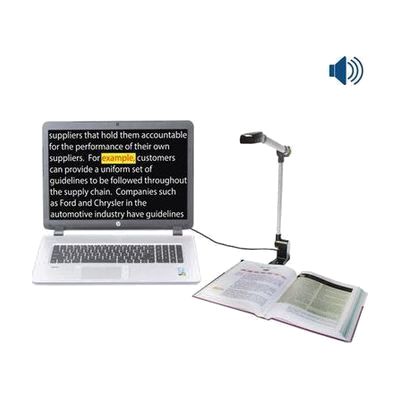
The PEARL is a folding camera that connects to a Windows PC and reads printed pages aloud. You place a book or document under it, it takes a picture, and the reading software speaks the text in a natural-sounding voice. In automatic mode it notices when you turn a page and captures the new page on its own, so you can read a whole book without pressing anything each time. It folds down to about 14 by 3 by 2 1/8 inches and comes with a neoprene case, so it travels easily. It does not work alone: it needs a PC running JAWS, Fusion, or OpenBook to do the scanning and reading.
Verified 5 days agoSetup with instructions -
JAWS Home
$104.50 every year
JAWS Home is a screen reader for Windows PCs that reads on-screen content aloud and can send it to a braille display, so someone who can't see the screen or use a mouse can still work in their applications. It runs entirely from the keyboard. This is the home-use edition, priced as a per-user software license rather than a workplace or network package.
Verified 5 days agoProfessional guidance helps -
ZoomText Large-Print Keyboard - U.S. English - Black Print on Yellow
Est. $60–$120
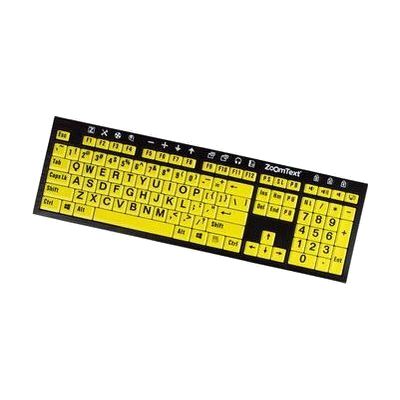
This keyboard has 36-point lettering on every key, printed in black on a yellow background, so the labels are easy to read even in low light. The F1 through F12 keys do double duty: press and hold one to trigger a ZoomText command, such as starting ZoomText, changing magnification, or opening AppReader or DocReader. You can also reassign those keys to other ZoomText, internet, or media commands, or to open a particular program, document, or web page. It suits someone who can still see to type but struggles with standard key labels, especially a ZoomText user who wants quick one-key access to features instead of memorizing hotkeys.
Verified 5 days agoSetup with instructions -

FS Student Suite
$225 every year
The FS Student Suite is a one-year license for students who need to see or hear their computer screen. It lets you install JAWS (a screen reader that reads the screen aloud), ZoomText (screen magnification), or Fusion, which combines the two. The license covers every upgrade and update released during the license term, so the software stays current for the school year. This is a software license only, so you'll need a Windows computer to run it, and the license runs for one year.
Verified 5 days agoSetup with instructions -
Fusion Professional
$1,412 every year
Windows software that pairs the ZoomText screen magnifier with the JAWS screen reader in one installation. Someone whose vision changes over time, or who wants to see enlarged text on screen and also hear it read aloud, can move between the two modes without running separate programs. It is aimed at a wide range of vision loss, from low vision through blindness. This is the Professional license, which is priced for individual and workplace use.
Verified 5 days agoProfessional guidance helps -
JAWS Professional
$1,003 every year
JAWS is screen reader software for Windows that reads on-screen content aloud and can send it to a braille display, so someone who can't see the screen or use a mouse can work in their applications from the keyboard. It's built for people with significant vision loss, including blind users who depend on it for daily computer use. The Professional edition is the workplace-oriented licence. It is software only, and anyone who wants braille output will need to add a compatible display.
Verified 5 days agoProfessional guidance helps -
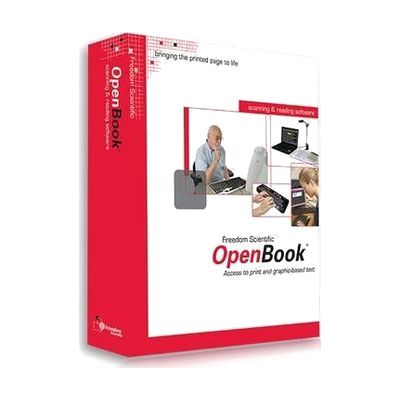
OpenBook
$1,100.00
OpenBook is Windows software that turns printed pages into text on your computer and reads that text aloud. It uses OCR, which means optical character recognition, to pick out the words from a scanned page, and it draws on two OCR engines, OmniPage and FineReader, to get accurate results. It also works on text inside images, not just clean printed pages. This is a good fit for someone who can't read print comfortably and wants to read mail, books, or handouts independently. It needs a scanner to capture the pages, and getting good results takes some practice with scanning and the software's settings.
Verified 5 days agoSetup with instructions -
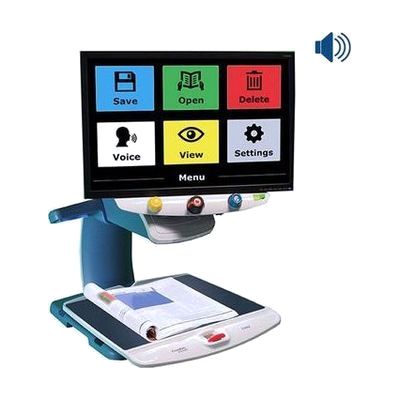
TOPAZ OCR Desktop Video Magnifier
The TOPAZ OCR is a desktop video magnifier with a high-definition camera that shows print on a screen as sharp, clear text. Because the image is crisp, you can often use a lower magnification and see more on the screen at once. That means less sliding of the XY table (the moving platform under the camera) when reading, looking at pictures, or doing crafts. It also has an OCR camera. OCR means the device reads printed text and turns it into speech. One tap on the screen switches it from magnifier to a scan-and-read mode that shows the page and reads it aloud. It suits someone who wants magnification and read-aloud in one desk-based unit.
Verified 5 days agoSetup with instructions -
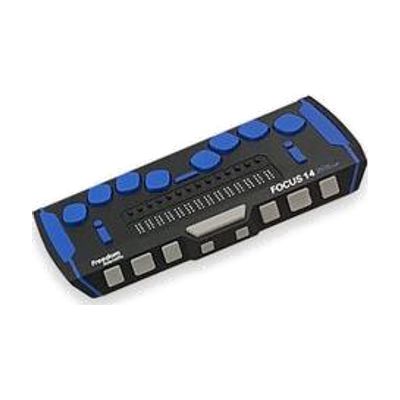
Focus 14 Blue - 5th Generation
The Focus 14 Blue is a portable braille display that shows 14 characters of braille at a time, so you can read what's on a screen by touch. It has an 8-dot braille keyboard for typing, front panel controls, and customizable NAV rockers for moving around. You can switch between five Bluetooth devices and one USB connection, and it works with iOS and Android devices. With JAWS, it also gives contracted braille input and full control in Windows. The housing is aluminum and steel, and it can be used while still in its carrying case. This is a display that goes with a screen reader, so it only works alongside a phone, tablet, or computer.
Verified 5 days agoProfessional guidance helps -
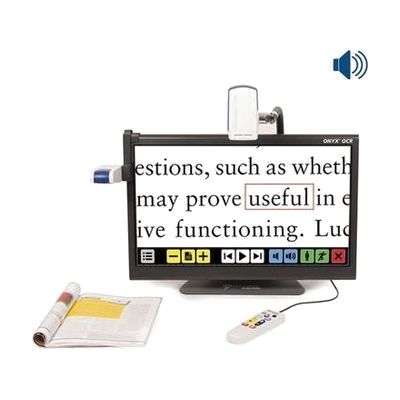
ONYX OCR
The ONYX OCR is a desktop video magnifier with a built-in 24-inch touchscreen that also reads documents aloud. You can place a page under the fixed camera on the left and have it spoken, or use the second camera to magnify what's on your desk, from small print to hobby work to writing, up to 131 times. That second camera can also show you something across the room or even show you yourself. It's a good fit if reading magnified text gets tiring and you want to switch to listening without changing devices. A full letter-size page fits on screen at once.
Verified 5 days agoSetup with instructions -
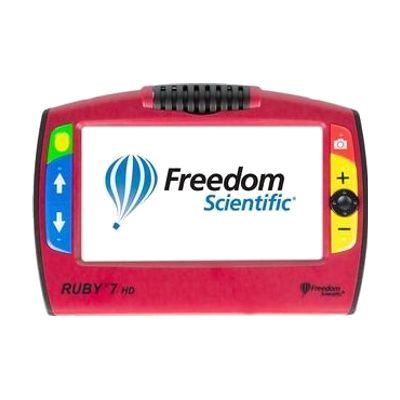
RUBY 7 HD
The RUBY 7 HD is a handheld video magnifier with a 7-inch color screen that enlarges whatever you point it at, from 2 to 24 times its size. Its 5-megapixel auto-focus camera rotates, so you can use one device to read up close, work on hobbies, look across a room, check yourself in a mirror view, or spot things at a distance. A large panning button lets you freeze an image, zoom in, and slide across it sideways or up and down. It suits someone who needs more than a simple handheld lens for reading print, labels, or small details, and who wants to carry the magnifier from place to place.
Verified 5 days agoSetup with instructions -
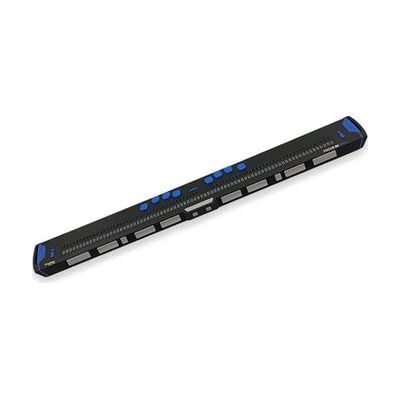
Focus 80 Blue - 5th Generation
The Focus 80 Blue is a portable braille display that lets you read on-screen text as refreshable braille, using 80 braille cells (the 80 in its name). The housing is aluminum over a steel base, with shock-absorbing bumpers meant to handle drops and knocks, and a single smooth cap over the cells so your fingers feel only the pins. The dot keys and spacebar are built for smooth, quiet typing, so you can also use it to enter text. It's for someone who reads braille and wants a durable display to carry between home, school, and work. It is a display only, so you'll need a computer or phone running screen reader software to send text to it.
Verified 5 days agoSetup with instructions -
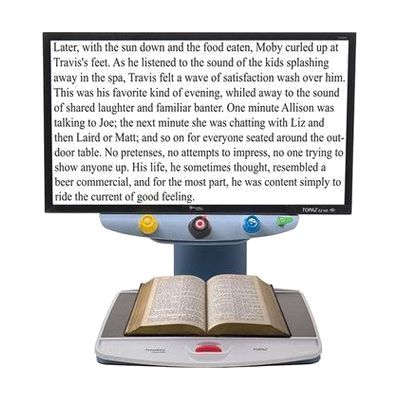
TOPAZ EZ HD Desktop Video Magnifier
The TOPAZ EZ HD is a desktop video magnifier that uses an HD camera to show printed material enlarged on a 24-inch screen. It keeps the controls simple, with each control doing just one job, so it suits someone who wants to read or look at things up close without learning a complicated menu. It has a lower magnification range and a wider field of view than some models, which can make it a good fit if you need moderate enlargement rather than very high zoom.
Verified 5 days agoSetup with instructions -
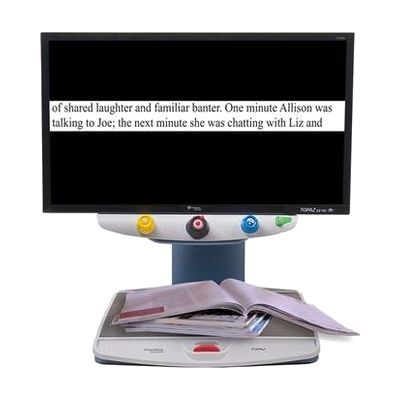
TOPAZ XL HD Desktop Video Magnifier
The TOPAZ XL HD is a desktop video magnifier. It uses a high definition camera to show enlarged print on a screen with sharper, crisper text, even at its lowest magnification. Because the picture stays clear at lower zoom levels, more of the page fits on screen at once, which helps most on a widescreen monitor. It also works with a PC, so one setup can serve both paper reading and computer use. This is a full desktop system for someone who reads a lot of print at a table or desk, not a pocket or handheld tool.
Verified 5 days agoSetup with instructions -
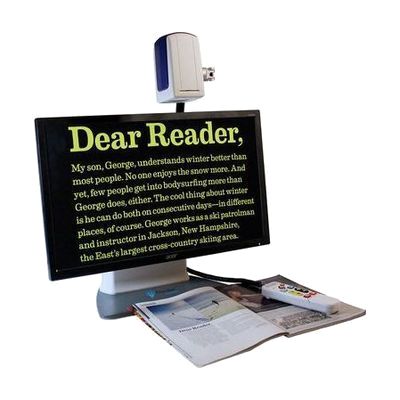
ONYX Deskset HD Video Magnifier
The ONYX Deskset HD is a video magnifier that pairs a camera with a built-in monitor, so you can enlarge print and other items on screen. Its flexible 3-in-1 camera swings between three jobs: reading documents on your desk, viewing things across the room, and looking at yourself, such as for grooming. That makes it a good fit if you want one magnifier for close reading and for seeing a whiteboard or a person at a distance. It's a complete desktop unit, so you don't need to connect it to another screen or computer.
Verified 5 days agoSetup with instructions -
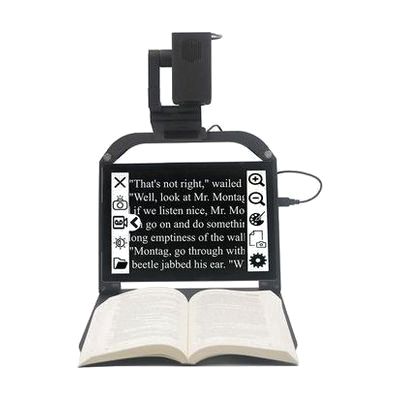
ONYX PRO
The ONYX PRO is a portable camera-and-stand system that turns a Microsoft Surface Pro 7 into a video magnifier. It has two cameras: one switches between close-up magnification and distance viewing, and the other is dedicated to reading printed pages aloud. Set a book, letter, or magazine under the reading camera and press a button, and the text is read in a natural-sounding voice while a high-contrast, enlarged version shows on the tablet screen. It's built to be light and has a handle, so you can carry it from room to room or between home and work. The Surface Pro tablet is not included, so factor that cost in.
Verified 5 days agoSetup with instructions -
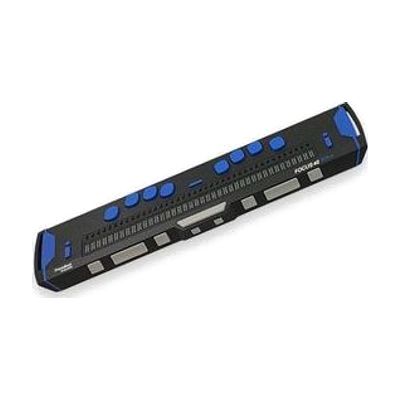
Focus 40 Blue - 5th Generation
The Focus 40 Blue is a portable braille display with 40 cells. It raises and lowers pins to show what's on a computer or phone screen as braille, so someone who reads braille can follow text by touch. It's built tough, with an aluminum housing on a steel base, bumpers that absorb knocks, and drop testing to a US military standard. A single smooth cap covers the cells so you feel only the pins, and the dot keys and spacebar are made to feel smooth and run quietly. The name points to Bluetooth, and the vendor notes that iOS connection needs iOS 11. You'll need a screen reader on your computer or phone for it to have anything to show.
Verified 5 days agoSetup with instructions -
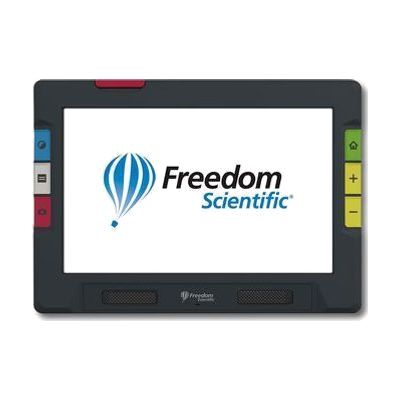
RUBY 10
The RUBY 10 is a portable video magnifier with a 10-inch touchscreen and three cameras. It enlarges print, labels, magazines, and photos on screen. A swing-out arm lets you view and write on items in your hand, and a third camera looks at things farther away, like signs or menus on a wall. On the speech model, extending the arm also allows full-page OCR (text recognition), so you can scan a page and have it read aloud. The speech feature is only on that model, so check which version you're ordering.
Verified 5 days agoSetup with instructions -

RUBY XL HD Handheld Video Magnifier
The RUBY XL HD is a pocket-friendly video magnifier that uses a camera to show enlarged print on its own 5-inch color screen. Zoom runs smoothly from 2x to 14x, and the 5-megapixel auto-focus camera keeps text sharp as you change magnification. A flip-out handle helps when you want to check a label, price tag, or short passage, and the screen tilts up so you can read comfortably at a table. It suits someone who finds standard optical magnifiers too limited for small print. Because the screen is only 5 inches, it works best for spot reading rather than long documents.
Verified 5 days agoReady to use