Browse Assistive Technology
Products
-
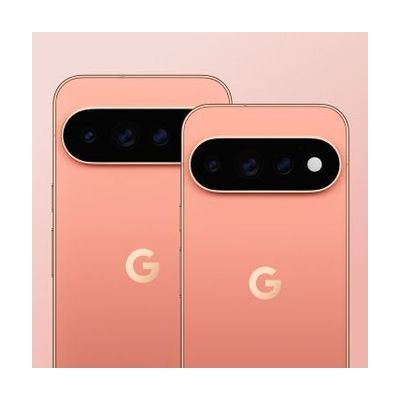
Google Pixel 11 Pro
Est. $999–$1,299
The Google Pixel 11 Pro is an Android smartphone sold unlocked, so you pick your own carrier and plan. It has a bright display (up to 3600 nits), a Gemini assistant for everyday tasks like finding information and drafting ideas, and a HiLight feature meant to keep you in touch with your phone without staring at the screen. This is a general-purpose phone, not a device built for one disability. Its value as assistive tech comes from the accessibility settings and voice features you turn on and tune to your needs. You'll also need to arrange carrier service yourself.
Verified 4 days agoSetup with instructions -

Galaxy S26 Ultra
Est. $1,199–$1,399
The Galaxy S26 Ultra is a mainstream Android smartphone with a long list of accessibility tools built into the phone itself. For vision, it has the TalkBack screen reader, magnification, and color adjustment. For hands-free or limited-movement use, it has Voice Access, Bixby voice control, switch scanning through Universal Switch, and an on-screen Assistant Menu that stands in for hardware buttons and gestures. For hearing, it adds Live Transcribe and Live Caption for text of speech, sound detectors for things like a doorbell or a crying baby, and Bluetooth hearing aid support. The tools are powerful but spread across many settings menus, so someone will need to choose which ones fit and tune them, and a person new to a screen reader or switch scanning will need time to learn them.
Verified 4 days agoSetup with instructions -

AAC Speak Helper
Free
AAC Speak Helper is a free Windows program that takes text you copy to the clipboard, then translates it, converts it between writing systems (such as Latin to Devanagari), and reads it aloud using text-to-speech voices from several providers. It's meant to be called from another AAC app on Windows that can run outside programs, so it helps most when someone needs to speak a language their AAC app's voices handle poorly. For example, a Ukrainian speaker could have their text turned into English for caregivers. It has no main window of its own, but a separate Configure app lets you set options and keep different settings files for different tasks. You'll need to run the server and client yourself and edit your pagesets to add a speak button, so it's not a plug-and-play tool.
Verified 4 days agoProfessional guidance helps -
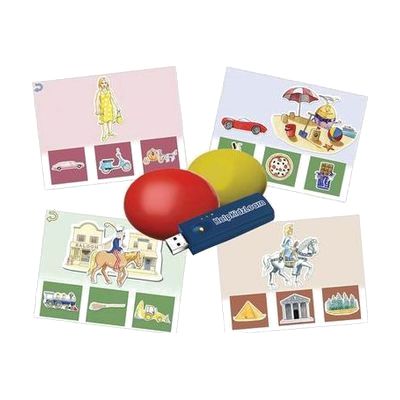
Inclusive Easy Choice Bundle
Est. $150–$450
This bundle pairs two wireless switches with HelpKidzLearn software called EasySwitch and Choose and Tell. Together they give a child a way to start making choices and to practice scanning, where options are highlighted one at a time and a switch press picks one. It is made for young learners who are building early choice-making skills and need a switch, rather than a mouse or touchscreen, to take part. Because the switches are wireless, they can be positioned where a child can reach them most easily. The software runs on a computer, so you'll need one set up and ready.
Verified 4 days agoProfessional guidance helps -

Apple Hearing Accessibility
Free
Apple's hearing accessibility features are built into its devices and cover Live Listen, Live Captions and support for Made for iPhone hearing devices. With Live Listen, your iPhone's microphone picks up people who are speaking from a distance, like across a dining table or in a lecture hall, and sends that sound to your AirPods, Beats headphones, or compatible hearing devices. You can also read Live Captions of the conversation on a paired Apple Watch, or on a nearby iPhone or iPad signed in to the same Apple Account. Apple Watch, iPhone, or iPad can act as a remote to start or stop a session, or jump back a few seconds to catch something you missed. Features and languages vary by region, so check availability before counting on a specific one.
Verified 3 days agoSetup with instructions -

SwitchIt! Hygiene Extra
Est. $45–$120
SwitchIt! Hygiene Extra is learning software that uses everyday personal hygiene themes to help someone build switch skills. It includes several activity types, from simple cause and effect, to putting steps in order, to choosing from a picture menu on their own. You can adjust the settings to fit the learner, and it works with a wide range of access devices. It suits learners of any age who are learning to use a switch while also learning about daily routines.
Verified 4 days agoSetup with instructions -
MacBook Pro
$1,599.00
The MacBook Pro is Apple's laptop line, available in 14-inch and 16-inch sizes with M5-family chips and a Liquid Retina XDR display. It is a general-purpose computer, so it is not a single-purpose assistive device, but it runs macOS, which has accessibility settings for vision, hearing, movement, and thinking and learning needs. Those settings can also help with communication, for example by running speech or switch-based communication software. The laptop also has a 12MP camera, a three-mic array, a six-speaker system, and a headphone jack. How much it helps depends on which macOS settings and apps you turn on, so budget time to explore and set them up.
Verified 4 days agoSetup with instructions -

SoundingBoard
Est. $10–$50
SoundingBoard is an iPad, iPhone, and iPod touch app that turns the device into a communication board. You build boards with up to 20 message spots, using the built-in AbleNet symbols or your own photos. Each spot can hold a recorded message of almost any length, so a touch speaks a message in a voice you choose. It suits someone who needs to make choices or share simple messages and has a caregiver, teacher, or family member to build and record the boards. Because it runs on a larger iPad screen as well, the buttons can be made bigger. The app is also offered in French, German, and Spanish. Taking photos inside the app isn't supported on the previous-generation iPod touch or iPad 1.
Verified 4 days agoSetup with instructions -

SwitchIt! Transport Extra
Est. $40–$90
SwitchIt! Transport Extra is Windows software that turns twelve transport themes, such as a school bus, ferry, digger, space rocket and taxi, into cause-and-effect and early choice-making activities. Each theme has flash cards that show a picture and say its name, picture builds that put a scene together with a switch press and end in an animated reward, and animated stories. It's meant for young learners who access a computer by switch, touch screen, mouse or auditory scanning, and who benefit from clear graphics, sound cues and picture menus. Printable extras like flashcards, sequencing, colouring and matching games come with it, and you can adjust the subject choices and access settings for each learner. You'll need your own switch and a way to connect it if switch access is the goal.
Verified 4 days agoSetup with instructions -
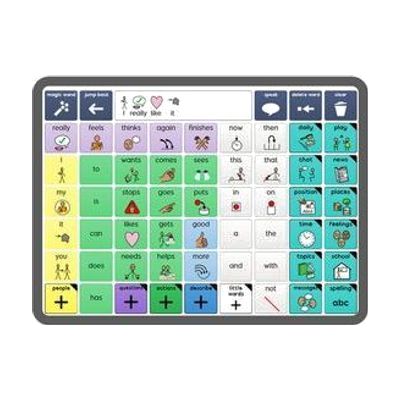
Grid for iPad from Smartbox
Est. $99–$349
Grid for iPad is an AAC app, which means it helps someone who can't rely on speech to communicate by speaking for them from the iPad. It's built as a full communication platform, with ready-made resources for both symbol-based and text-based communication, so it can fit someone who builds messages from pictures as well as someone who types. You get a library of resources included. It runs on an iPad, so you'll need one, and picking a vocabulary layout and setting it up for the person's needs goes more smoothly with input from a speech-language pathologist.
Verified 4 days agoProfessional guidance helps -

simPODD
Est. $30–$100
simPODD is an iOS app for using PODD communication books, a paper-based way of communicating that some people use with a communication partner. It aims to make communicating feel more natural and to speed up printing the pages. It comes from the team that makes Proloquo2Go.
Verified 4 days agoProfessional guidance helps -

Boardmaker 7 Student Center
Est. $99–$499
Student Center is the app a learner opens to do Boardmaker 7 activities that a teacher, therapist, or parent has assigned. Those activities show up in the learner's account on their own. It runs on Windows, Mac, and Chromebook computers, iPads, and Tobii Dynavox devices, and it works with or without an internet connection. Access settings for eye gaze, switch, mouse, and touch can be saved to the learner's login, so the right setup is ready each time. The app comes with any Boardmaker 7 Subscription, so you need that subscription before it's useful. The subscription tier decides whether you can assign material and track progress.
Verified 4 days agoProfessional guidance helps -

Google Pixel 11
Est. $799–$1,199
The Google Pixel 11 is a general-purpose Android smartphone, and its built-in accessibility settings are what make it useful as assistive technology. It comes unlocked, so you pick the carrier and plan, and it runs on Google's Tensor G6 chip. Look at the screen options: brightness reaches 3000 nits on the standard model, and the glass cover is built to resist scratches. This is a phone, not a ready-made AT system, so any voice, vision, or touch settings need to be turned on and tuned to the person using it.
Verified 4 days agoSetup with instructions -

Galaxy Z Fold8
Est. $1,799–$1,999
The Galaxy Z Fold8 is a foldable Android smartphone from Samsung, and its accessibility tools cover vision, hearing, and motor needs in one device. For vision, it has the TalkBack screen reader, magnification, and color adjustment. For hearing, Live Transcribe and Live Caption turn speech and audio into text, sound detectors can alert you to things like a doorbell or a crying baby, and Bluetooth hearing aid support is built in. For motor access, Voice Access and Bixby let you control the phone by voice, Universal Switch supports switch scanning, and Assistant Menu puts the hardware buttons and gestures on screen. Most of these features have to be turned on and tuned to the person, so expect some time in Settings. It's also a high-priced phone, so this is a good fit if you want a mainstream device that already has these tools rather than a dedicated AT product.
Verified 4 days agoSetup with instructions -
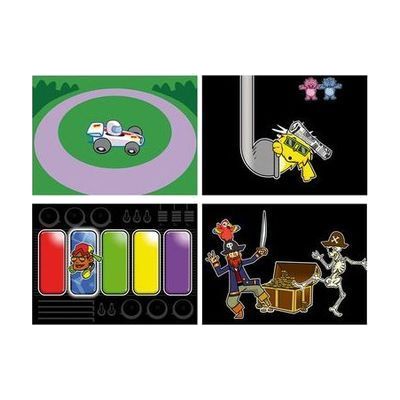
Inclusive Switch Skills Bundle
Est. $600–$1,200
This bundle pairs a Multi2 switch interface and Smoothie Switches with Switch Skills software titles that build core switch control and timing. The activities start with cause and effect and move toward early scanning, so a child can practice using a switch step by step. The listings differ on whether it includes three or four software titles, so confirm that before ordering. It's a ready-made practice kit, but it works best when a therapist or teacher helps match the switches and activities to the child.
Verified 4 days agoProfessional guidance helps -

Switch Skills for Two Set 2
Est. $40–$90
Switch Skills for Two Set 2 is a Windows software pack with 11 two-switch activities for learners who are moving past basic cause and effect. In the "Build Up" games, one switch builds or prepares something, like stacking tin cans or inflating a balloon, and the second switch sets off the result, such as knocking the tower down or popping the balloon. The "Move and Get" games, like feeding a crocodile or launching a rocket, add timing and sequencing, which helps prepare a learner for scanning communicators. You'll need two switches and a way to connect them to your computer, and it's delivered by email rather than shipped.
Verified 1 week agoSetup with instructions -

Apple Live Speech & Personal Voice
Free
Live Speech lets you type what you want to say and have your device say it out loud, including during Phone and FaceTime calls and face-to-face conversations. You can save phrases you use often and group them into categories, such as a Coffee Shop set for ordering. You can pick from dozens of system voices or use a Personal Voice, which is a voice you create that sounds like you. Personal Voice is built by reading 10 randomized phrases aloud, and it's aimed at people who are at risk of losing their voice. These are built-in Apple features, so availability varies by device, region, and language.
Verified 3 days agoSetup with instructions -
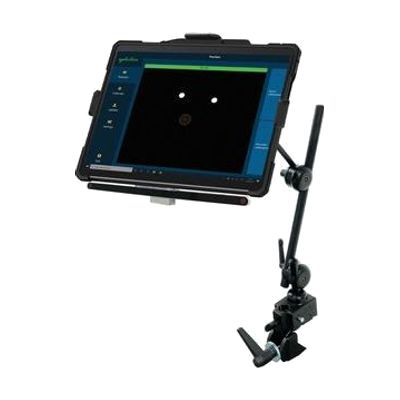
Surface Pro EyeGaze Education: eyetuitive for Windows
Est. $1,500–$3,500
This bundle pairs a Windows Surface Pro tablet with eyetuitive's eye gaze system, so a student can control the tablet by looking at the screen instead of touching it. It's put together for the special education classroom, and the maker describes it as portable, sturdy, and easy to use. Because the tablet and the eye gaze pieces come as one package, you're not hunting for compatible parts yourself. Eye gaze works best when it's matched to the student's vision, positioning, and goals, so expect to get help from a therapist or ATP when choosing software and tuning the setup.
Verified 4 days agoProfessional guidance helps -
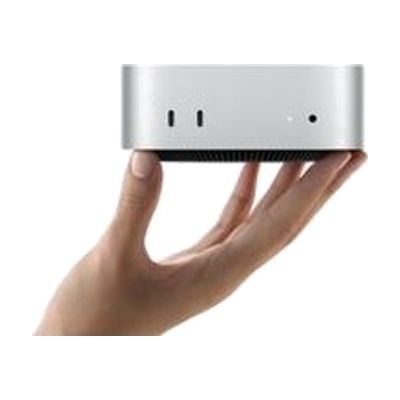
Mac mini
$599.00
The Mac mini is a small desktop computer, about five by five inches, that runs macOS and connects to the monitor, keyboard, and mouse you choose. That freedom is what makes it useful for assistive technology: you can pair it with larger or specialized displays, alternative input devices, or switch-based setups, and use the accessibility features built into macOS. It has ports on both the front and back, and it can sit next to a monitor or be mounted out of the way. Keep in mind that it is only the computer itself, so you need to supply the screen and input devices, and any assistive setup is up to you.
Verified 4 days agoSetup with instructions -

Proloquo and Proloquo Coach - AssistiveWare
$99.99 every year
Also from $9.99 every month
Proloquo is a symbol-supported AAC app for iPad and iPhone that lets a nonspeaking person communicate by building messages that the device speaks aloud. It comes paired with Proloquo Coach, a companion app that gives step-by-step guidance to the person using AAC, their family, and educators as they get started. Proloquo is aimed at people who can use an iPad on their own, and the pairing is meant to take some of the overwhelm out of beginning AAC.
Verified 4 days agoProfessional guidance helps -

LAMP Words for Life
$299.99
LAMP Words for Life is an AAC app, which means it gives someone a way to talk by tapping words and phrases on a screen that speaks them aloud. It uses a motor-planning approach, so each word stays in the same place on the screen and a person can learn to reach for it without searching. The vocabulary holds about 4,500 core and fringe words, and a Vocabulary Builder feature lets you teach just a few words at a time. It is offered in English, Spanish, Canadian French, and German, each with matching voices. It suits someone just starting to communicate who will need room to grow into full sentences. It runs on an Apple device, so check the app compatibility page before buying.
Verified 4 days agoProfessional guidance helps -

Switch Skills for Two Set 1
Est. $100–$250
Switch Skills for Two Set 1 is a Windows software package of 16 two-switch activities that help learners move beyond basic cause and effect into early choice-making. Each activity uses playful themes, like feeding crocodiles, launching rockets, and dancing monsters, and the learner presses one of two switches to see different results. The activities are graded so skills build step by step, and they encourage turn-taking and interaction with a partner. Learners can use left and right switches or keyboard alternatives such as the spacebar. This is software only, so you'll need your own switches and a way to connect them to the computer.
Verified 1 week agoSetup with instructions -
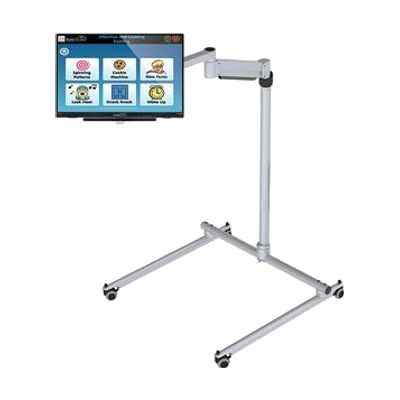
All in One EyeGaze Education: eyetuitive for Windows
Est. $800–$2,000
This is a ready-to-assemble eye gaze package for a special needs classroom, built around eyetuitive for Windows. The bundle includes a touch PC or monitor, a REHAdapt stand to hold it, and Inclusive EyeGaze software. With eye gaze, a student controls the screen by looking at it instead of using a mouse or touch, which opens up learning activities and communication for children who can't use those tools easily. Because the pieces come together in one package, a school doesn't have to match a tracker, screen, mount, and software on its own. Getting the student positioned well and the tracking calibrated is where a therapist or AT specialist can make a real difference.
Verified 4 days agoProfessional guidance helps -
iPhone 17
$799.00
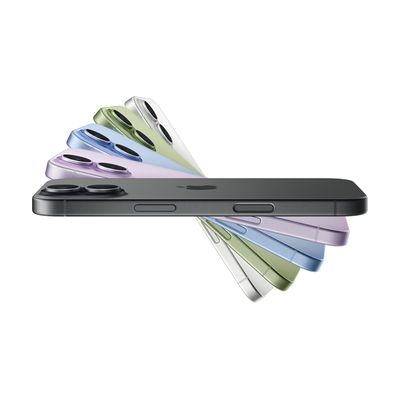
The iPhone 17 is Apple's mainstream smartphone, with a 6.3-inch display, a dual rear camera system, and Apple Intelligence features such as Live Translation. It matters for assistive technology because it is a general-purpose phone that can serve as a platform for many different needs, though the provided details cover its hardware and general features rather than its built-in accessibility settings. This is a full phone, not an add-on, so you get a working device out of the box. Getting real benefit for a specific need usually means turning on and tuning the right settings first.
Verified 4 days agoSetup with instructions