Browse Assistive Technology
Products
-
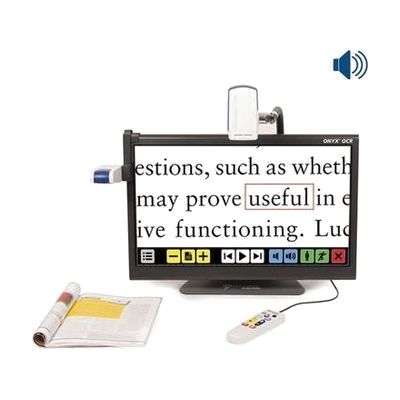
ONYX OCR
The ONYX OCR is a desktop video magnifier with a built-in 24-inch touchscreen that also reads documents aloud. You can place a page under the fixed camera on the left and have it spoken, or use the second camera to magnify what's on your desk, from small print to hobby work to writing, up to 131 times. That second camera can also show you something across the room or even show you yourself. It's a good fit if reading magnified text gets tiring and you want to switch to listening without changing devices. A full letter-size page fits on screen at once.
Verified 4 days agoSetup with instructions -
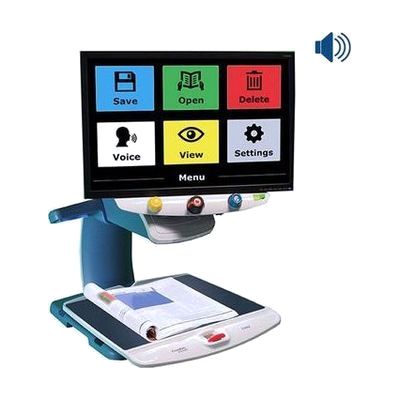
TOPAZ OCR Desktop Video Magnifier
The TOPAZ OCR is a desktop video magnifier with a high-definition camera that shows print on a screen as sharp, clear text. Because the image is crisp, you can often use a lower magnification and see more on the screen at once. That means less sliding of the XY table (the moving platform under the camera) when reading, looking at pictures, or doing crafts. It also has an OCR camera. OCR means the device reads printed text and turns it into speech. One tap on the screen switches it from magnifier to a scan-and-read mode that shows the page and reads it aloud. It suits someone who wants magnification and read-aloud in one desk-based unit.
Verified 4 days agoSetup with instructions -
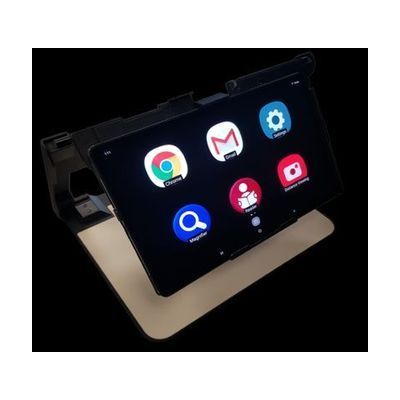
Patriot VRM 12.4 Magnifier with OCR
$2,995.00
The Patriot VRM is a 12.4-inch Android tablet that works as a portable video magnifier and a reader. It enlarges printed material from 2X to 60X, can read the text aloud with OCR (which turns a picture of printed words into speech), and lets you switch color contrast modes with a three-finger tap. Because it runs Android with Wi-Fi, you can also use it for email, web browsing, online newspapers, and Google voice search, with content magnified and read aloud. It weighs about 1.2 pounds and comes with a foldable aluminum stand, so you can move it around the home or office. It's a good fit for someone with low vision who wants one device for reading mail and for getting online, but it's a full tablet, so expect some learning time with the touch gestures and settings.
Verified todaySetup with instructions -
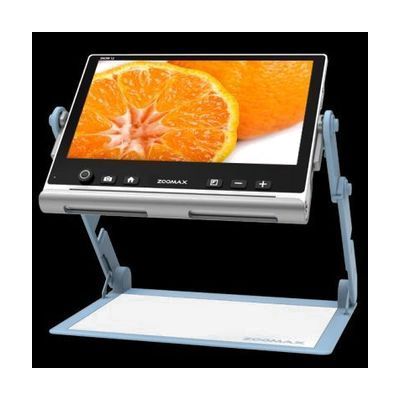
Snow 12" Magnifier with Optical Character Recognition (OCR)
$1,555.00
The Snow 12 is a portable video magnifier with a 12-inch touch screen. It enlarges print from about 2.5X to 19X using a 13-megapixel camera, and it has 10 high-contrast color modes plus full color. Its OCR feature, which reads printed text aloud, works in more than 20 languages, so you can listen instead of straining your eyes. It also has a distance mode for far-off text, a freeze-frame option, and a folding stand for reading or writing under the camera. The battery runs about 2.5 hours after a 2-hour charge, and a carrying case is included. You can also connect it to a TV, monitor, or computer through its HDMI and Type-C ports.
Verified todaySetup with instructions -
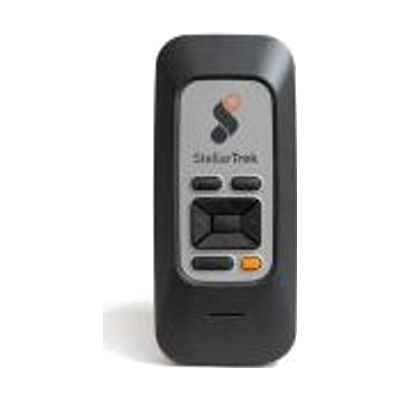
StellarTrek - Digital orientation and mobility assistant
$999.00
The StellarTrek is a handheld navigation device that combines GPS with OCR, which reads printed text aloud, so you can find your way and read signs and other text as you go. It's built for people who are blind or have low vision and want help getting around on their own. It's a dedicated device rather than an app, so it has its own hardware and doesn't rely on your phone. Learning to use navigation tools well often goes best with an orientation and mobility specialist, who can show you how to fit it into the routes and travel skills you already use.
Not recently verifiedProfessional guidance helps -
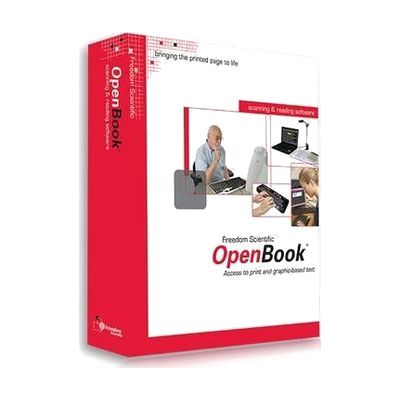
OpenBook
$1,100.00
OpenBook is Windows software that turns printed pages into text on your computer and reads that text aloud. It uses OCR, which means optical character recognition, to pick out the words from a scanned page, and it draws on two OCR engines, OmniPage and FineReader, to get accurate results. It also works on text inside images, not just clean printed pages. This is a good fit for someone who can't read print comfortably and wants to read mail, books, or handouts independently. It needs a scanner to capture the pages, and getting good results takes some practice with scanning and the software's settings.
Verified 4 days agoSetup with instructions -

ReadDesk Lite Plus Scanner- Reader- Magnifier
$899.00
The ReadDesk Lite Plus scans a printed page, then reads it aloud in a natural-sounding voice using OCR (optical character recognition, which turns a picture of text into readable text). It can also show magnified text on a laptop or desktop screen and save scans as PDF or MP3 files for later. It's meant for someone who wants books, mail, bills, or prescription labels read to them, and it weighs under 1.5 pounds, so it folds small enough for a laptop bag. A laptop or desktop PC is required to view magnified text or save PDFs, and you'll need a separate MP3 player to listen to saved audio.
Verified 2 days agoSetup with instructions -
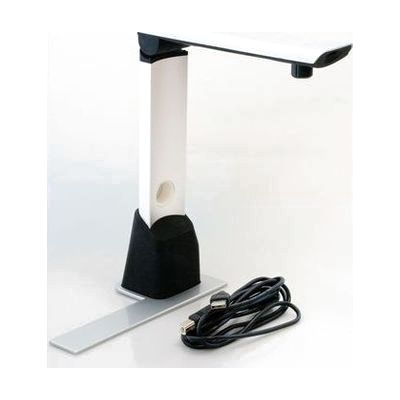
ReadDesk
$895.00
The ReadDesk is a small desktop camera that connects to a Windows computer and shows whatever you place under it, enlarged, on the screen. It also has OCR, which reads printed text aloud, so it can speak books, newspapers, bills, and prescription labels in a natural-sounding voice. Colors, views, speech, and other settings can be adjusted to suit the reader. It weighs about 1.5 pounds, so it is easy to move or store, but it only works with a computer; there is no screen of its own.
Verified yesterdaySetup with instructions -
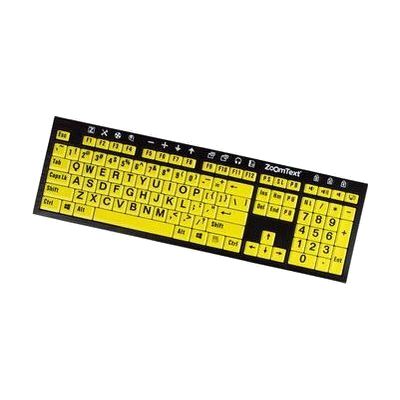
ZoomText Large-Print Keyboard - U.S. English - Black Print on Yellow
Est. $60–$120
This keyboard has 36-point lettering on every key, printed in black on a yellow background, so the labels are easy to read even in low light. The F1 through F12 keys do double duty: press and hold one to trigger a ZoomText command, such as starting ZoomText, changing magnification, or opening AppReader or DocReader. You can also reassign those keys to other ZoomText, internet, or media commands, or to open a particular program, document, or web page. It suits someone who can still see to type but struggles with standard key labels, especially a ZoomText user who wants quick one-key access to features instead of memorizing hotkeys.
Verified 4 days agoSetup with instructions -
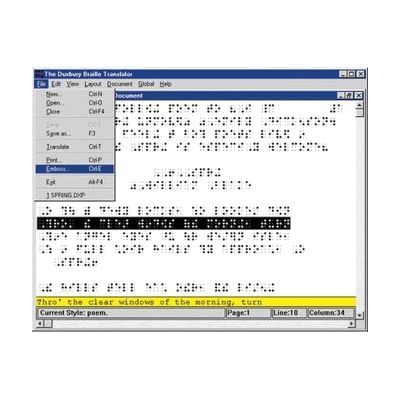
Duxbury Braille Translation For Windows
$695.00
Duxbury Braille Translator is Windows software that turns print documents into braille, and braille back into print. It takes files from Word, HTML, Open Office and other formats, and it can bring in text by email or through OCR, which reads printed pages. It handles American or British braille, contracted or uncontracted, across more than 170 languages, and math braille codes are available too. The output can be sent to any commercial braille embosser. It's built for people who prepare braille, such as teachers of students with visual impairments, transcribers, and publishers. It's a production tool, not a reading device, so it doesn't replace a braille display.
Verified yesterdayProfessional guidance helps -
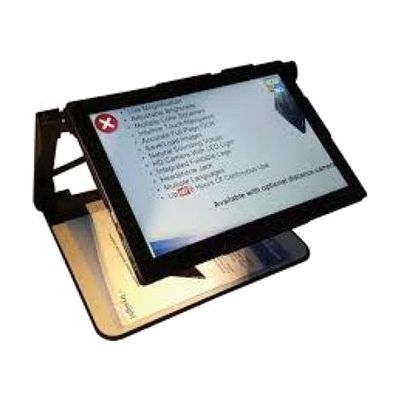
Mercury 13 Low Vision Computer System
$3,495.00
The Mercury 13 is a foldable low vision computer that works as a laptop, a magnifier, and a text reader in one. It runs Windows on a Surface Pro 8 tablet with a 13-inch HD screen and shows live magnified views. It also has full-page OCR, which reads printed text aloud, along with several high-contrast color schemes and a split screen for near and distance viewing. A large print keyboard, trackpad, built-in LED light, and Zoom magnifier/reader software come with it. It folds flat to fit in a laptop bag and runs up to 8 hours on battery in laptop mode. This is a good fit for someone who wants one device for reading, magnifying, and everyday computing. A distance camera for classroom use is a separate add-on, and a second monitor is optional.
Verified 2 days agoSetup with instructions -
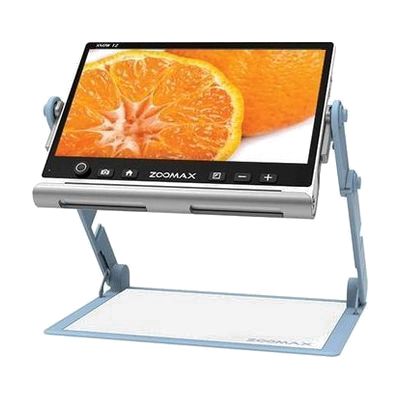
Zoomax Snow 12 Portable CCTV with Foldable Stand
$1,555.00
The Snow 12 is a portable electronic video magnifier. It shows enlarged text and objects on its screen, so you can read, write, or look closely at small things. It also has a full-page scan feature with OCR, which reads printed text aloud. A foldable stand is included in the name, which suggests you can set it on a table for hands-free reading. This is a fuller device than a pocket magnifier, so expect to spend a little time learning its controls before it feels natural.
Verified 2 days agoSetup with instructions -
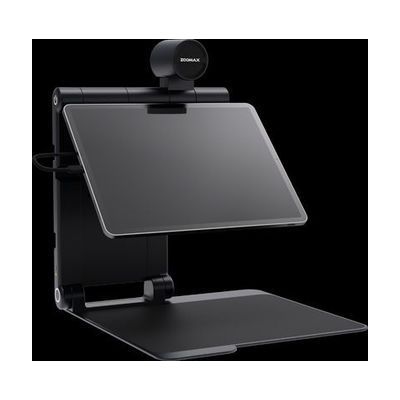
Snow Pad Portable Electronic Magnification System
$1,555.00
The Snow Pad is a foldable stand with its own camera that turns your iPad or Samsung tablet into a portable video magnifier. It lets you switch between close-up reading, distance viewing, and a self-view mode, or show close-up and distance together in an adjustable split screen. Magnification runs from 1 to 32 times, with 10 high contrast color modes, line markers, and an OCR feature (which reads printed text aloud) that supports 20 languages. A basic mode can limit how many icons and functions show up, which helps if a simpler screen works better. It folds to about 12 by 12 by 2 inches and comes with a travel backpack, so it moves easily between school, home, and work. You supply the tablet, since it isn't included.
Verified yesterdaySetup with instructions -
Juno
$1,472.00
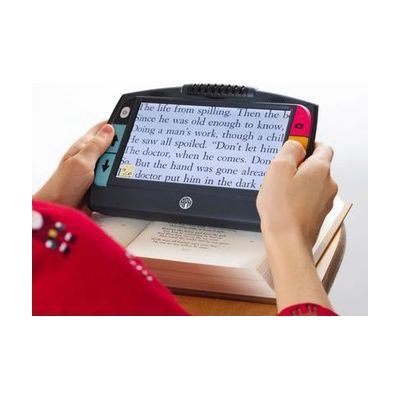
The Juno is a handheld video magnifier with a 7-inch LCD touchscreen. It lets you enlarge print and other items while you're out and about, and it includes OCR (optical character recognition), which reads printed text aloud. It's a complete, dedicated device, so you don't need a phone or computer to use it, though a demo is available if you'd like to try it before buying.
Verified 3 days agoSetup with instructions -
Acuity 22-inch Speech HD Desktop Video Magnifier with Wireless Remote
$3,995.00
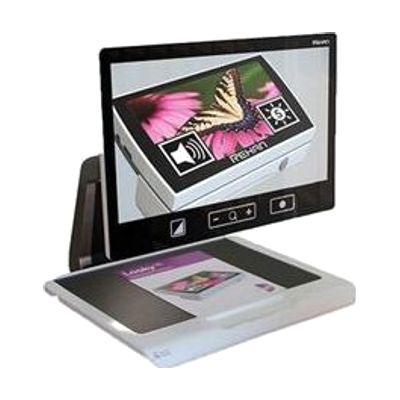
This desktop video magnifier shows whatever you place under its camera on a 22-inch full HD screen, with zoom from 2.2x up to 65x. That makes it useful for reading books, writing, painting, and other close-up hobbies. You can adjust it with a tactile wireless remote, a touchpad, or the touchscreen, and choose from 20 high-contrast color modes and 2 photo modes. It also has full-page OCR, which reads printed text aloud when you touch the page, and it detects the language on its own. The built-in LED lighting is designed to avoid glare and shadows. At about 35 pounds, it's best placed on a desk and left there rather than moved around.
Verified 2 days agoSetup with instructions -
RUBY 10
The RUBY 10 is a portable video magnifier with a 10-inch touchscreen and three cameras. It enlarges print, labels, magazines, and photos on screen. A swing-out arm lets you view and write on items in your hand, and a third camera looks at things farther away, like signs or menus on a wall. On the speech model, extending the arm also allows full-page OCR (text recognition), so you can scan a page and have it read aloud. The speech feature is only on that model, so check which version you're ordering.
Verified 4 days agoSetup with instructions -

Braille Uno cards
$14.95
These are standard UNO cards with braille added, so a blind or low-vision player can read each card by touch. The braille sits in all four corners, and the cards keep the regular size and look of UNO, which means sighted and blind players can share one deck and play together. Basic UNO rules are available as a PDF and as a plain text file that works with screen readers, text-to-speech, and OCR (which reads printed text aloud).
Verified todayReady to use -

Patriot Viewpoint Wearable Technology
$3,995.00
The Patriot Viewpoint is a headset-style electronic magnifier that you wear, so both hands stay free. It magnifies up to 20X for close-up tasks like reading and writing, and for distance viewing such as a live performance or sporting event. It offers 11 high-contrast color modes, and its OCR mode (which reads printed text aloud) scans printed material and speaks it. Controls are on a touch pad on the side of the headset. It can be worn over most prescription glasses, and it comes with ear buds. Battery life is about 2 hours, so plan around that for longer sessions.
Verified todaySetup with instructions -
StellarTrek AI Powered Talking Mobility Device
$999.00
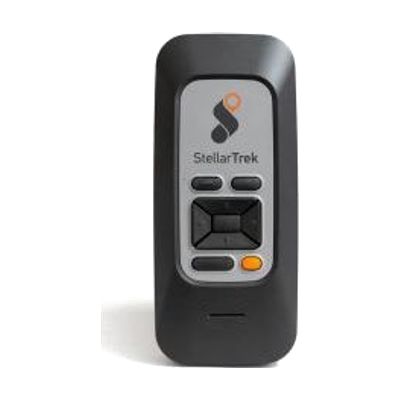
The StellarTrek is a handheld talking device that gives spoken, step-by-step directions to a destination and helps with the last 40 feet to a door or entrance. It uses GPS, built-in optical sensors, and AI to describe intersections, detect crosswalks, and identify doors and street addresses. It also reads printed text aloud with OCR (which turns printed words into speech), and it can scan bar codes and name colors, so one device covers street signs, menus, and store products. It runs on its own rechargeable battery through USB-C and doesn't lean on your phone's battery or data. Maps are free to download, and it works in 13 languages.
Verified todayProfessional guidance helps -
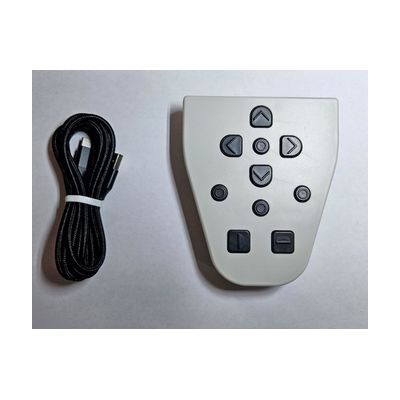
LyriQ Reader Optional Keypad
$235.00
This wireless keypad adds extra buttons for moving through text on a LyriQ OCR reader, which reads printed text aloud. With it, you can jump by character, word, sentence, or paragraph, which helps when you want to go back and re-hear one spot instead of starting over. It snaps onto the back of the reader, so it travels with the device. It's an add-on only: you need a LyriQ Reader for it to do anything.
Verified todaySetup with instructions -
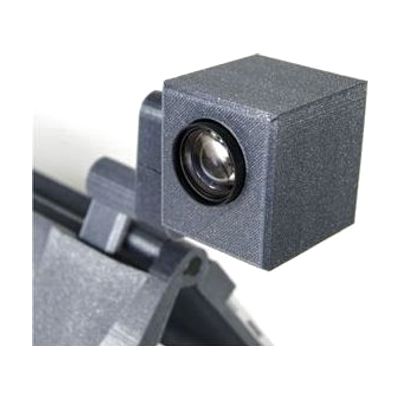
Mercury 12 Distance Camera
$1,495.00
The Mercury 12 Distance Camera lets someone see far-away things, like a classroom board or a presentation screen, magnified on a computer screen. It has a 10x optical zoom and Full HD 1080p video, and it can read distant text aloud with its distance OCR feature. You can save images from the board and change the color contrast to make them easier to see. It's a camera-only piece, not a stand-alone system: it plugs in over USB 3.0 and is meant to be paired with the Mercury 12 Laptop Tablet Magnifier or the Mercury 13 Low Vision Computer System.
Verified 2 days agoSetup with instructions